Best Shopify Page Builder Apps in 2026: We Tried Them All
We built real pages with PageFly, GemPages, EComposer, Replo, Instant and PagePilot. What each one costs, where each one breaks, and which fits your store.

Every Shopify page builder promises the same thing.
Drag, drop, and ship a better page without a developer or any code.
The editors are generally good now, their template libraries are really rich, and you can rebuild a product page in an afternoon.
This is why choosing one based only on the feature list is a mistake.
The page builder apps on this list compete on price, on what they leave behind in your theme, and on whether the page you end up with actually says anything your competitors' pages do not.
So we tried them.
We built pages with each one, hit the limits that only show up once you are past the demo, and went through the one-star reviews on every listing.
Keep reading and you will find out what each tool costs, what it is genuinely good at, and the specific point where it stops being good.
Prices and ratings are Shopify App Store monthly rates, checked 13 August 2026.
- PageFly, the safe default. Biggest library, cheapest paid tier at $24/mo. Check what its uninstall does before you rely on it.
- BrandyBee, knows your competitors, your search data and your brand, then builds product pages designed to outrank them and convert.
- GemPages, best for conversion pages and funnels at $29/mo. Slow editor, and it leaves code in your theme.
- EComposer, best value across many page types at $25/mo. Known for leaving code behind too.
- Replo, agency-grade control with real A/B testing, but $119/mo and the steepest learning curve here.
- Instant, the best editor of the group and AI-first at $39/mo. Newest, so it has the shortest track record.
- PagePilot, fast AI product pages for dropshippers at $39/mo. Basic by design, and the import can be unreliable.
- They all generate generic copy, because none of them looks at your market before writing.
How to choose a Shopify page builder
Before the individual reviews, four things are worth deciding upfront. They narrow the list faster than any feature comparison.
1. Check whether the free plan actually lets you evaluate anything. This came up repeatedly during our tests. Several of the tools below have a free tier that does not let you publish to your real store.
This means the only way to properly test them is to pay first. Worth knowing before you budget a week for trials.
2. Measure what it does to your page weight. Any app that injects sections adds code, and how much depends on the builder, your theme and how heavily you build. Do not simply take anyone's word for it.
Build one real page during a trial, run Lighthouse on it and on an equivalent native-section page, then compare mobile scores side by side.
3. Find out how it comes back out. Some builders write into your theme files and some do not, and the difference only really matters on the day you switch. Read the app's own uninstall documentation before you commit because it is important in the long run.
If a builder ships a dedicated tool for cleaning its code out of your theme, that tells you something useful about what it puts in.
4. Find out if you need a canvas or an answer. This is the one most people skip. If your pages look dated, a builder fixes that, and you should choose based on editor quality. If your pages look fine and still do not convert, the constraint is what the page says rather than how it is arranged, and no editor addresses that.
In that case, the thing to shop for is something that researches your market and tells you what the page should contain in order to get the right people to your store and convert.
The best Shopify page builder apps in 2026
| App | From | Best for | Free plan |
|---|---|---|---|
| PageFly | $24/mo | Most stores, widest template library | Yes, usable |
| BrandyBee | $49/mo | Pages built from competitor and search data | Free trial |
| GemPages | $29/mo | Conversion pages and funnels | Yes |
| EComposer | $25/mo | Many page types on a budget | Yes |
| Replo | $119/mo | Growth teams running real tests | Preview only |
| Instant | $39/mo | Design-led teams who want the best editor | Dev stores only |
| PagePilot | $39/mo | Dropshippers testing products fast | No Shopify import |
Ratings cluster tightly across this category, so they do not separate the tools much on their own. What actually differs is how each one behaves once you are past the demo, which is what the sections below focus on.
PageFly

Pros
- Largest template library and deepest app-integration list
- Most tutorials, and the biggest pool of freelancers who already know it
- Genuinely usable free tier
- Cheapest entry paid plan of any tool here
Cons
- Uninstall can remove pages that originated in PageFly, even rebuilt ones
- Reports of global code being added beyond the page being edited
- App updates occasionally shift spacing and fonts on finished pages
- Older pages flagged "Legacy" need recreating in the newer builder
What it is
One of the most established page builders on Shopify. It covers product pages, collections, landing pages and blog posts, with the largest template library of anything here.
What we found
It is the easiest of the group to get a decent page out of quickly, and the reason is the template count rather than the editor itself. The friction shows up later. The Gen2 rebuild means older pages get flagged as Legacy and need recreating, so a store that has been on PageFly for a few years carries migration debt that a new install never sees.
What merchants say
Five-star reviewers call it "intuitive" and say it "makes building my store so much easier." The critical reviews focus on code footprint. One merchant describes PageFly as having "installed global code on my site" when only a test page existed. Another notes that "even if you took a page and rebuilt it natively, if it was originated in PageFly, it goes on the uninstall."
Pick it if
You want the lowest-regret starting point and the widest support network. Build a throwaway page first and watch what it does to your theme files.
BrandyBee

Pros
- Reads your competitors, your search data and your brand before writing anything
- Scores each page on brand alignment, SEO and positioning, so weaknesses are clearly named
- Ranks your whole catalogue by opportunity instead of guessing which page to fix
- Writes product data, metafields and feed fields, not just visible copy
- Never writes to your theme, so there is no leftover code to clean up
Cons
- Not a drag-and-drop canvas, so pixel-level layout control is limited
- Built for product and category pages, not arbitrary campaign landing pages
- Credit-based pricing takes a cycle to get used to
What it is
BrandyBee is not a page builder in the drag-and-drop sense and it will not replace PageFly if what you want is a canvas. It handles the part that comes before the canvas.
It reads three things first: who ranks above you for this product and what those pages claim, what people actually search on the way to buying it, and how your own brand talks. Then it writes the page from that, so the positioning is built against the competitors it just read rather than against nothing. Output goes straight to Shopify, including the product data and metafields underneath the visible copy.
What we found
On the leftover-code question that runs through this comparison, it sits on the other side by design. It never asks Shopify for permission to write your theme, so it cannot leave Liquid behind even in principle. Content goes to your products, metafields and files, all of which are your data and stay yours, and the on-page rendering runs through a Shopify app block you place yourself. There is no cleanup step because there is nothing in your theme to strip.
Pick it if
Your pages look fine and still read like everyone else's. If layout is genuinely your constraint, one of the builders here will serve you better, and plenty of stores run both.
GemPages

Pros
- Element library built around conversion patterns, not just layout
- AI-assisted layout generation
- Modern templates that need less restyling out of the box
- Strong fit for funnels and campaign pages
Cons
- The editor is genuinely slow, and it gets worse as the page gets longer
- Writes code into your theme, with a separate step needed to clear it
- Published pages sometimes render differently from the editor preview
- Pricing climbs sharply once converted out of USD
What it is
The conversion specialist. Where PageFly optimises for breadth, GemPages leans into CRO: comparison blocks, sticky carts, urgency elements, and the sections you would otherwise build by hand for a funnel.
What we found
The CRO element library is the real reason to choose it and it genuinely saves time on a funnel page. Two things soured it for us. The editor is slow, noticeably so, and it gets worse the longer the page gets, which is awkward for exactly the long-form pages the tool is built for. And the editor preview is not a reliable proxy for the published page, so anything complex needs checking live before you send traffic to it.
Worth knowing before you install: GemPages writes code into your theme, and taking it out is a separate job from deleting the app. They ship a feature called Uninstall Safely whose purpose is stripping that code, plus a manual removal guide for reverting theme files by hand. Documenting it this thoroughly is fair of them, and it also tells you how routine it is.
What merchants say
Five-star reviewers call the editor "intuitive" with "extensive" customisation. The one-star reviews are mostly about billing rather than the product. One merchant reports installing and deleting the app "less than 48 hours later" and still being charged $61.80. GemPages replies explaining that Shopify bills the active cycle, which is true, and not always obvious when you are trialling four apps in a week.
Pick it if
Your pages are campaigns and funnels rather than your permanent catalogue.
EComposer

Pros
- Widest page-type coverage per dollar
- Separate desktop, tablet and mobile layout editing
- Bundled extras that would otherwise be separate subscriptions
- Annual billing saves 20 to 24%
Cons
- Residual code after uninstall, one merchant counted 21 .liquid files
- Slideshow and element-copying bugs come up repeatedly
- Bundled extras are broad rather than deep
- Support continuity is weak, merchants restart the same ticket with new agents
What it is
The all-in-one value play. One subscription covers product pages, collections, landing pages, blogs and a set of bundled tools, which suits stores that would otherwise stack three apps.
What we found
Per-device layout editing is the standout and genuinely rare at this price. The trade-off is polish. Elements do not always copy cleanly between sections, and the bundled extras are broad rather than deep, so each is weaker than the dedicated app it replaces.
What merchants say
Five-star reviews single out being able to "customize desktop, tablet and mobile layouts separately." The critical reviews are the most technically specific here, with merchants reporting "EComposer codes left in at least 21 .liquid files" after uninstalling.
Pick it if
Budget matters and you need many page types. Have someone check your theme files after any uninstall.
Replo
Pros
- Built-in A/B testing and analytics, not a bolt-on
- Over 1,000 templates and hundreds of prebuilt sections
- Native Klaviyo, Recharge, GA4, Yotpo, Skio and Junip integrations
- Unlimited users, which suits agencies and multi-person teams
Cons
- By far the most expensive, starting near 5× the others
- Sections vanished after a theme update, recoverable only by restoring the theme file
- Free tier is preview-only, so you cannot ship anything on it
- Product pages have gaps, including showing out-of-stock variants
- Support waits reported from 30 minutes up to a week
What it is
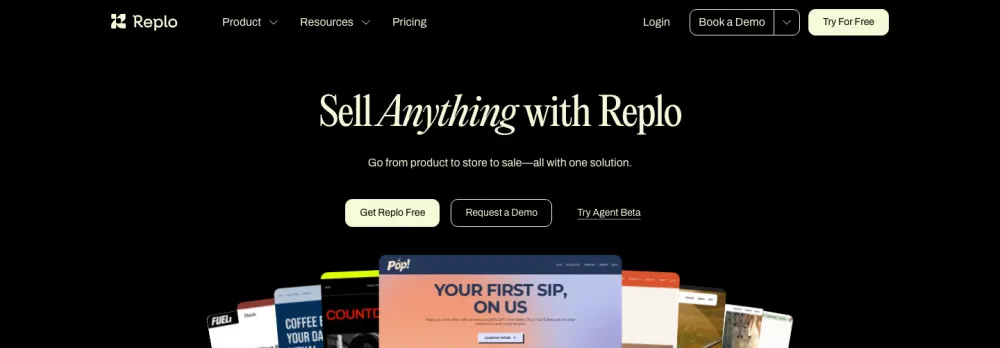
Aimed at teams whose job is conversion testing. The pitch is less "make a page" and more "run an experimentation programme," with A/B testing, session analytics and revenue attribution built in.
What we found
The testing and analytics layer is real and is the main reason to pay this much. Two problems. The free tier publishes to a Replo subdomain rather than your store, so you cannot evaluate it on your own traffic without committing to $119/month first. And the theme integration broke on us: after a theme update, the sections we had built simply disappeared from the page. The only way back was restoring the theme file from a backup. At $24/month that is an annoyance you absorb. At $119/month, with support waits measured in days, it is a different conversation.
What merchants say
Five-star reviewers value creating "highly optimized pages without needing advanced coding skills." At 4.7 stars from 172 reviews it has both the lowest rating and the smallest sample here. The critical reviews describe a learning curve the price makes harder to forgive, including documentation where "videos are only 10 seconds long and don't explain anything."
Pick it if
You have a growth team that will genuinely run tests and a budget that makes $119/month a rounding error. If you mainly want to know what your rivals are claiming, competitor tracking gets you there faster.
Instant
Pros
- The editor merchants rate highest, compared to Figma and Framer
- Figma plugin for designers who already work there
- Over 800 templates, A/B testing, cart drawers with upsells
- Only 9 of 312 reviews sit below 5 stars
Cons
- Free plan only works on development stores, so you cannot trial it on your real store
- AI credits are metered per tier, and heavy iteration burns them
- AI output quality is inconsistent
- Newest builder here, so the shortest track record on edge cases
What it is
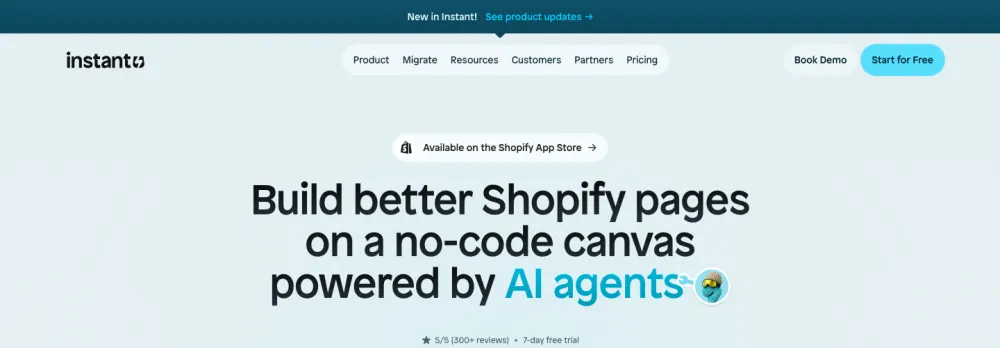
The AI-first, design-led option. You describe or import a page and edit from there, in an interface built for people who think in design tools rather than page-builder panels.
What we found
The editor really is the best of the group, and if a designer is doing the building it is the one that will annoy them least. Two things to know before committing: the free plan is development stores only, so evaluating it properly means paying, and the AI credits are metered, so the iterate-until-it-is-right workflow the tool encourages is also the one that drains your allowance.
What merchants say
Reviewers describe it as "miles ahead of other page builders from a UX perspective" and compare it to Framer. Because only nine reviews fall below five stars, the criticism is thin: inconsistent AI output and one theme-integration failure.
Pick it if
The editing experience matters most, or a designer will be doing the building. Its weakness is age, not quality.
PagePilot

Pros
- Fastest path from a supplier link to a live product page
- Generates AI product images from source photos, useful when everyone sells the same item
- Produces ad creatives and copy alongside the page
- Simple enough that there is nothing to learn
Cons
- Import does not work reliably from every product link
- Will not pull data at all if a product has too few images
- Basic by design, with nothing like the section depth of a real builder
- Template-based, so pixel-level design control is not there
- Free plan cannot import to your store, so it is preview-only
What it is
Built for dropshippers. You paste a product link from AliExpress, Amazon or Shopify and it generates a full product page with AI copy, AI images and sections in about a minute.
What we found
For its intended user it is good, and the AI image generation is a genuine edge when you and forty other stores are selling the identical product from the same supplier photos. But it is basic, and that is a design decision rather than a flaw. There is no deep section library and no real customisation. The bigger problem in practice is the import: it does not work from every product link, and pages you expect to generate simply do not.
What merchants say
The lower-star reviews match that closely. One merchant importing from their own Shopify store found "it scrambled up the descriptions." Another hit the image requirement and wrote that the app "will not pull data if there are not enough images, this should not be required."
Pick it if
You are testing products fast and page quality matters less than speed. If you are building a brand rather than testing winners, you will outgrow it quickly.
They all write generic copy, and there is a structural reason
Almost every tool here generates copy with AI, and after using them side by side the output starts to blur together. Different editors, broadly the same text: confident, well-formed, and interchangeable with what the store ranking above you already published.
That is an input problem rather than a prompt problem. These tools generate from what they can see, which is your existing page or a supplier listing. Nobody showed them the market, so the model writes the safe average of the category.
The import path does not help. Pull a product in from another site and what arrives cleanly is mostly the images. And everything underneath the visible text goes untouched: feed data, metafields, structured data, what competitors actually claim. A builder writes the part a human reads and stops, which is fair, because that is the product they sold you.
Build your product pages with Claude, ChatGPT or your LLM of choice
Here is the version a lot of readers will end up at eventually. A good model can do everything the tools above do, and do it better. It writes better copy than any builder's built-in AI, it will produce the sections and the HTML, and pointed at your store it can push the page live. If you are comfortable working that way, you do not need most of this list.
The limit is not the model. It is what the model knows. Out of the box it can see your product and nothing else, so you get something articulate and completely generic, for exactly the same reason the builders do. Better writer, same blind spot.
So give it the missing half. Specifically:
- Which competitors rank above you for this product, and what their pages actually claim
- What people search on the way to buying it, and the questions they ask along the way
- Where your pages rank today, and which ones sit just outside page one
- How your current page scores on positioning, SEO and brand alignment
- Your real product data: attributes, metafields, feed fields
Hand a model that and the same prompt produces something different. Pages that separate you from the competitors it can now see, that answer the questions buyers are actually asking, that give search engines and AI assistants what they are looking for, and that earn more traffic and convert more of it once it arrives.
This is exactly what BrandyBee is for. Collecting that data is the real work, and it is ongoing rather than one-off, because rankings move and competitors rewrite their pages. BrandyBee runs the competitor research, the market analysis, the page scoring and the keyword tracking continuously, so the picture stays current instead of being a snapshot from whenever you last looked.
From there you have two paths and both are fine. Let BrandyBee write and publish the page itself, or take its data into Claude, ChatGPT or whatever you already work in and drive the writing yourself. Same research either way. The point is that your model needs eyes before it can write anything worth publishing, and guessing is not a strategy when the data is available.
Why rebuilding a product page rarely changes its ranking
Merchants rebuild a page expecting rankings to follow, and they usually do not, because a builder changes how a page is arranged rather than what it is about.
Search engines read your content, your structure and your speed. None of the builders above is meaningfully better on that front, because the HTML editor is not the ranking factor. What matters is whether your headings map to what people search, and whether your product descriptions answer questions buyers actually have.
Structure carries the rest. Complete, valid structured data does more for how a product page is understood than any section arrangement will.
Then there is which pages deserve the work at all. Rebuilding a page that ranks 47th for a term nobody searches is a wasted afternoon, and it is an easy mistake when you are working from a template gallery instead of from data.
Pair that with search traffic analytics and the shortlist of pages worth rebuilding is usually far shorter, and far more obvious, than expected.
How AI search changed what a product page needs
A growing share of product discovery no longer happens on a results page. It happens inside ChatGPT, Google AI Mode and other assistants that read product information and answer directly.
We tested this properly: we ran 100 real shopping questions through both engines, then audited all 138 products they recommended. The two named the same top product only 38% of the time. What drove the picks was not layout. It was the completeness and clarity of the underlying product data.
No page builder addresses this, and that is not a criticism, because it is not what they are for. But if visibility is part of why you are shopping for a tool, the layer doing the most work is your product data. You can check yours with a free product data checker in about two minutes.
If you sell through Google Shopping, product feed optimization is quietly doing more for you there than any template will.
There is more on how this is developing in our SEO and GEO writing.
What actually moves product page conversion
Two stores install the same builder, use the same template, and get different results. The variable is not the app.
What separates a product page that converts from one that does not is mostly decided before anyone opens an editor:
- Does the page answer the questions this specific buyer has, in the order they have them?
- Is your positioning distinct from the three competitors ranking above you, or a rewording of the same claims?
- Is the proof concrete and specific, or generic trust badges?
- Does the page cover the intent behind the search that brought the visitor there?
None of that is a layout problem, and templates cannot solve it, because a template is by definition what everyone else is using too. The stores in our print on demand breakdown that outperform their category are not winning on section arrangement. They win on a clearer answer to "why this one".
If you install a builder, rebuild your best product page and conversion does not move, layout was never the constraint.
Shopify page builder FAQ
Which Shopify page builder is best overall?
For most stores, PageFly, on the strength of its template library, free tier and $24/month entry price. If your pages are funnels, GemPages fits better. If an in-house designer is doing the work, Instant has the best editor of the group.
Do page builder apps slow down a Shopify store?
Any app that adds sections adds code to your theme, so some impact is expected. How much varies by builder, theme and how heavily you build. Test it yourself: build one page on a trial and compare its mobile Lighthouse score against an equivalent native-section page.
What happens to my pages if I uninstall a page builder?
It depends on the app, and it is worth checking before you install rather than after. Some builders write into your theme and publish a dedicated cleanup process for removing it, while others do not touch the theme at all. Take a theme backup before installing anything.
Is there a free Shopify page builder?
PageFly, GemPages and EComposer all have functional free tiers. Replo's is preview-only, Instant's works on development stores only, and PagePilot's cannot import to your store, so none of those three lets you ship.
Which Shopify page builder is best for SEO?
None is meaningfully better than the others, because SEO on a product page comes down to content, structure and speed rather than which editor produced the HTML. Choose based on speed impact, and on whether the app lets you control headings, metadata and structured data.
What is the difference between a page builder and a landing page builder?
Mostly scope. Page builders handle permanent store pages including product and collection pages, while landing page tools focus on standalone campaign pages. Most of the apps above do both.
Can I just use ChatGPT or Claude to build my Shopify product pages?
Yes, and the output beats most builders' built-in AI. The catch is that on its own the model only knows the page you already had, so it produces a polished version of the same generic copy. Give it competitor data, search intent and current ranking positions and the quality changes completely.