How Many Images Should an Ecommerce Product Page Have, and Which Ones?
How many images an ecommerce product page needs, by category, from 21,968 products in 124 Shopify stores, plus the image types each category uses and Google's rules.

The usual answer to "how many product images do I need?" is "five to eight". It is not wrong, but it hides the part that matters. A dress, a face serum and a ceramic vase do not need the same five images. The number changes a little by category. The mix changes a lot.
To get a real answer, I counted the images on 21,968 product pages from 124 established Shopify stores across six categories, and then looked at every image on a sample of 114 of those products to see what each one actually shows. This post gives you the number for your category, the image types your category's shoppers expect, and the rules Google applies to product images.
- The median product page has 6 images. Beauty and electronics sit at 7, apparel at 6, home and jewelry at 5, food and drink at 4.
- The mix matters more than the number. Apparel and jewelry are sold on a body. Beauty is sold on texture and proof. Home is sold in a room. Food is sold served.
- Start with a clean product shot. Outside apparel, more than 8 in 10 products open on the product alone. Apparel splits almost evenly between a studio shot and a model.
- Show size. In Baymard's testing, 42% of shoppers tried to judge a product's size from its images.
- Keep the main image clean for Google. Merchant Center rejects promotional text, badges and watermarks on the main image.
- Write alt text. In my sample, 42% of product images had no alt text at all, and only 28% had alt text that actually described the image.
How many images does a product page need?
Here is the median number of images per product, by category:
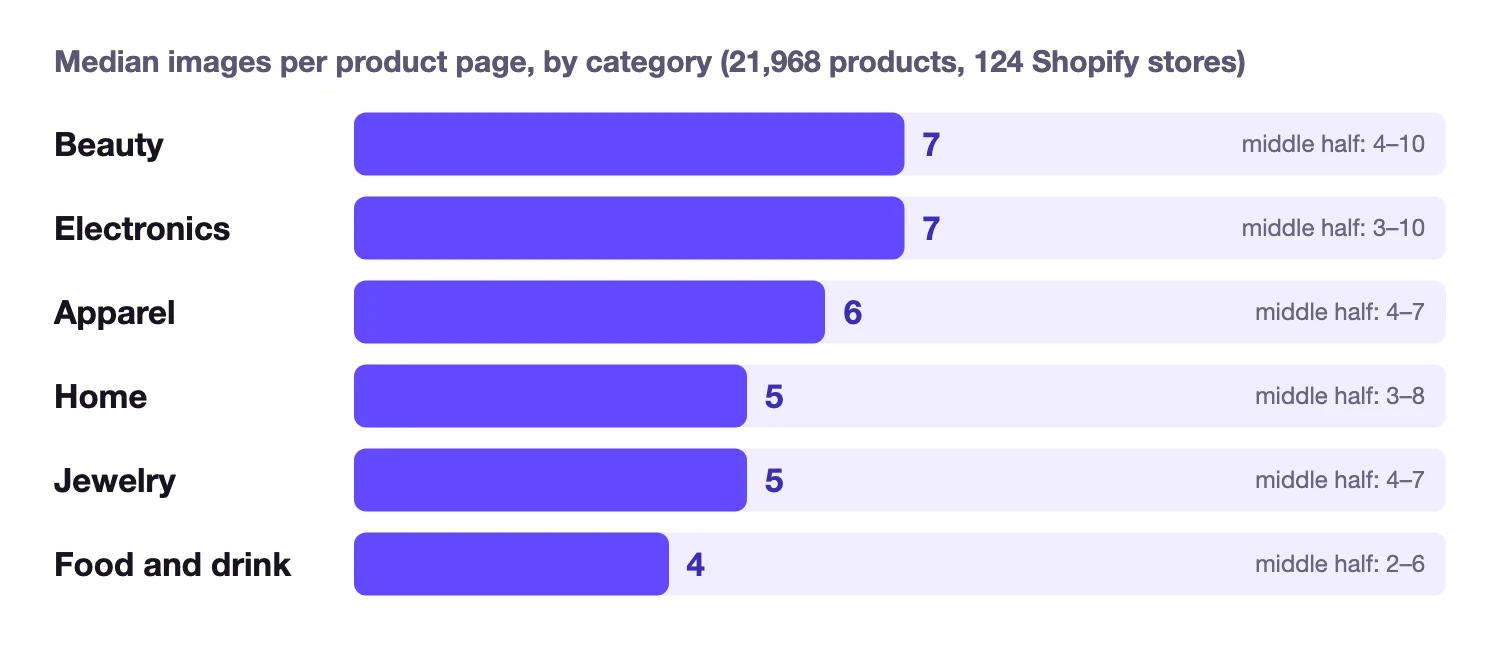
| Category | Stores | Products | Median | Middle half | 2 or fewer |
|---|---|---|---|---|---|
| Beauty | 28 | 3,611 | 7 | 4 to 10 | 13% |
| Electronics | 15 | 2,487 | 7 | 3 to 10 | 24% |
| Apparel | 32 | 7,816 | 6 | 4 to 7 | 10% |
| Home | 20 | 3,547 | 5 | 3 to 8 | 22% |
| Jewelry | 14 | 3,201 | 5 | 4 to 7 | 11% |
| Food and drink | 15 | 1,306 | 4 | 2 to 6 | 31% |
These are stores like Allbirds, Gymshark, Glossier, Rare Beauty, Parachute, Schoolhouse, Peak Design, Satechi, Gorjana, Missoma, Graza and Fly By Jing: brands that sell well and have had years to work out what their product pages need.
Price moves the number in some categories. Home products under $25 have a median of 2 images, while home products above $50 have 6. Jewelry over $250 gets 6, against 4 for pieces under $50. The more a product costs, the more questions a shopper has before buying, and each image answers one of them.
Baymard, which runs large usability studies of ecommerce sites, found that 56% of shoppers start a product page by looking at the images, before they read the title or the description. Its research also recommends at least three images per product even in category listings, and 5 to 15 for apparel and accessories. So 6 is a sensible floor for most products, not a ceiling. What goes into those 6 depends on what you sell.
Which images each category uses
The number is the easy part. To see the mix, I went through every image on 114 products, about 19 per category, and labelled each one: studio shot, on a model, in context, close-up, texture swatch, infographic, before and after, in use or in hand.
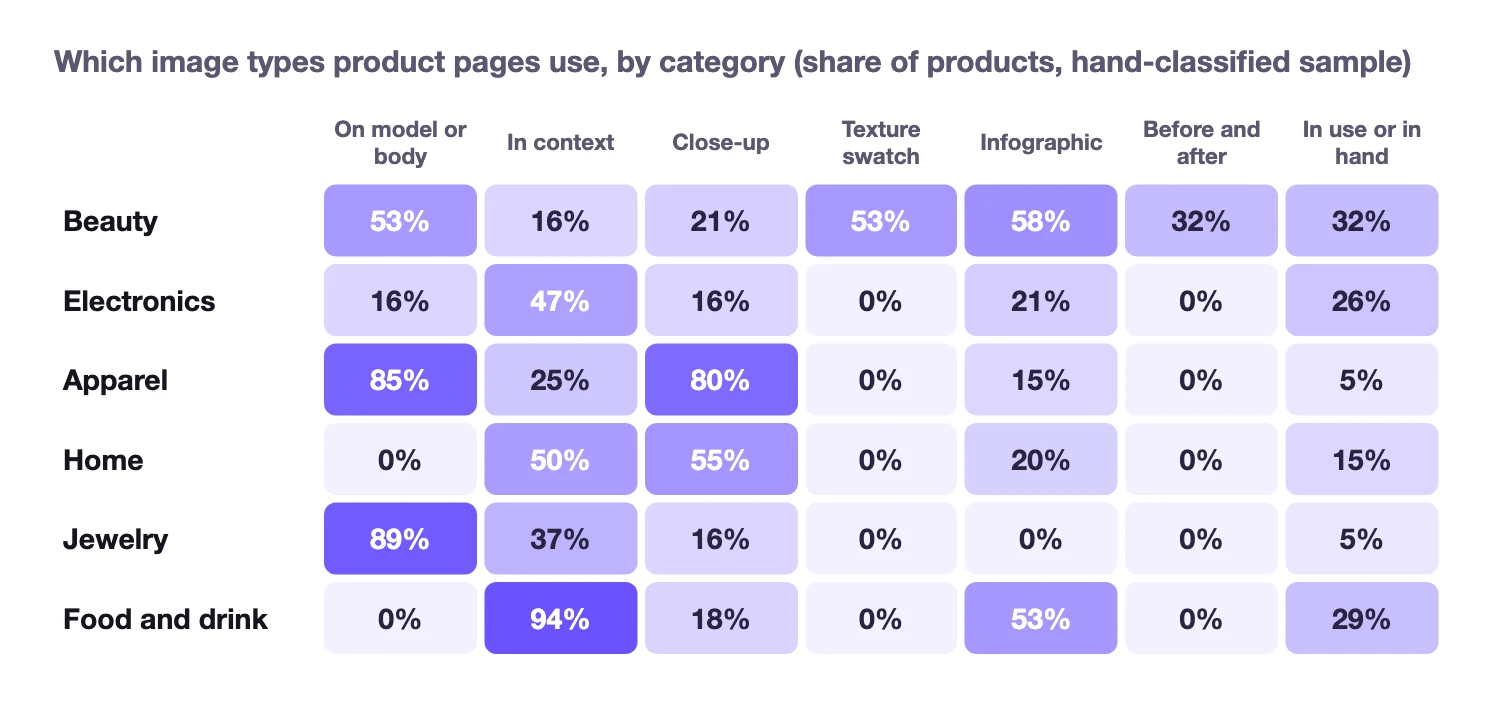
Every category has its own signature: on-model images in apparel (85% of products) and jewelry (89%), infographics and texture swatches in beauty (58% and 53%), in-use images in electronics (47%), close-ups and in-room images in home (55% and 50%), and served images in food and drink (94%). The examples below were all made in BrandyBee: one product per category, six images each, the size of a typical gallery.
1. Apparel product page images
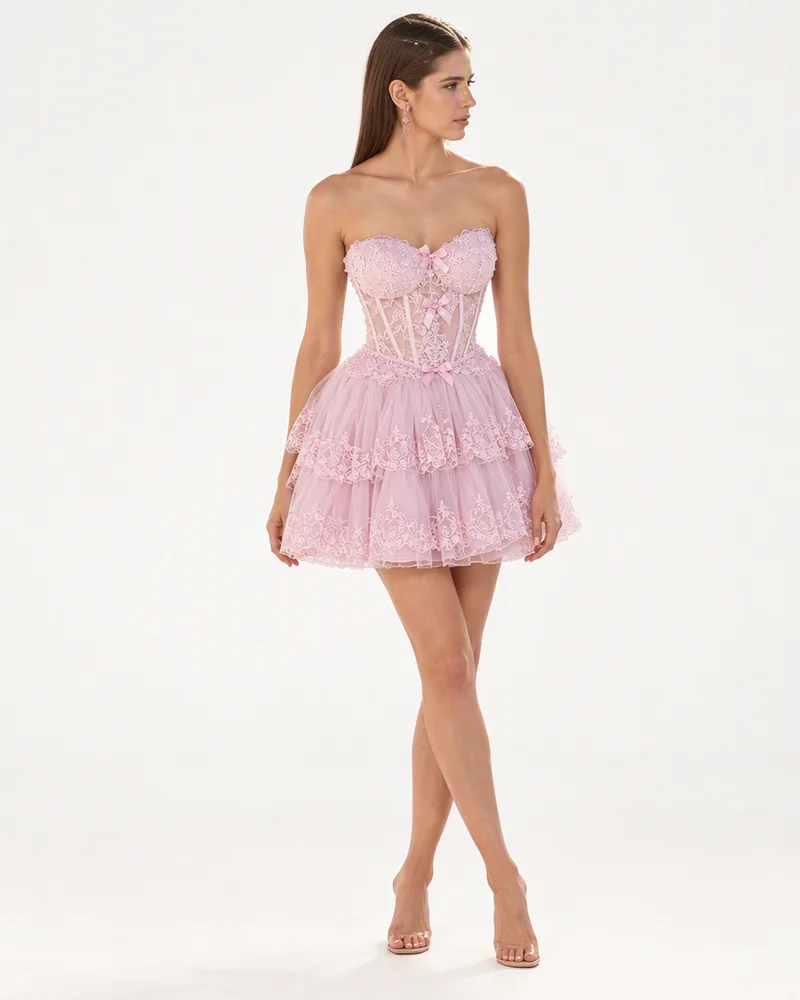
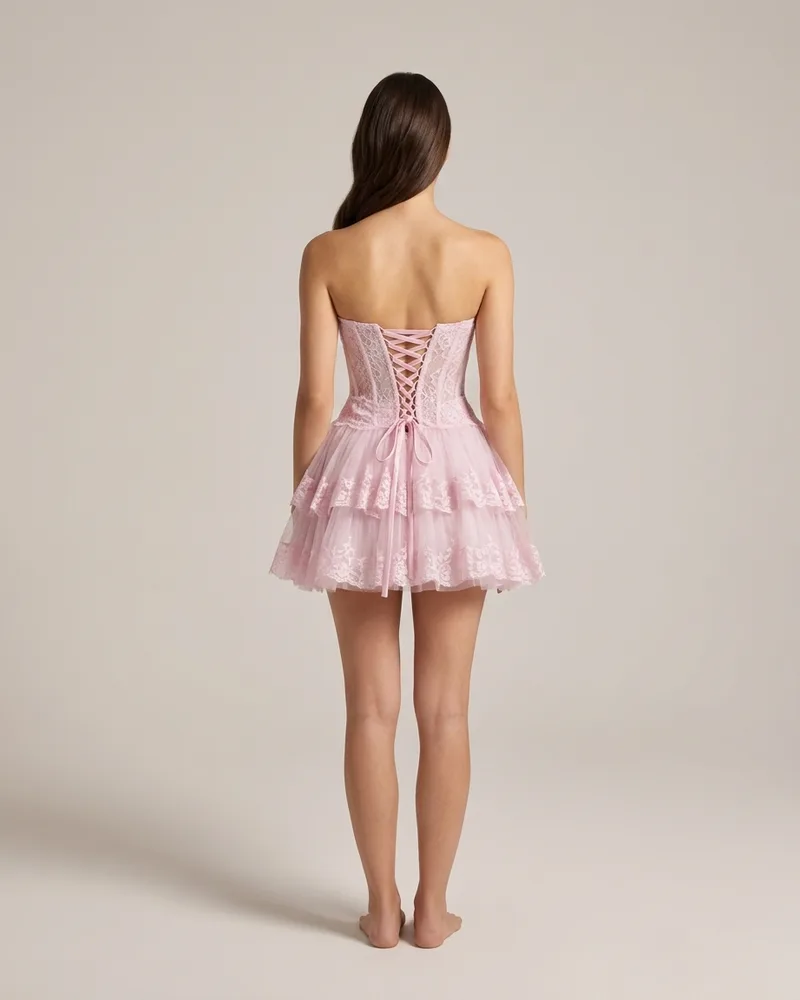
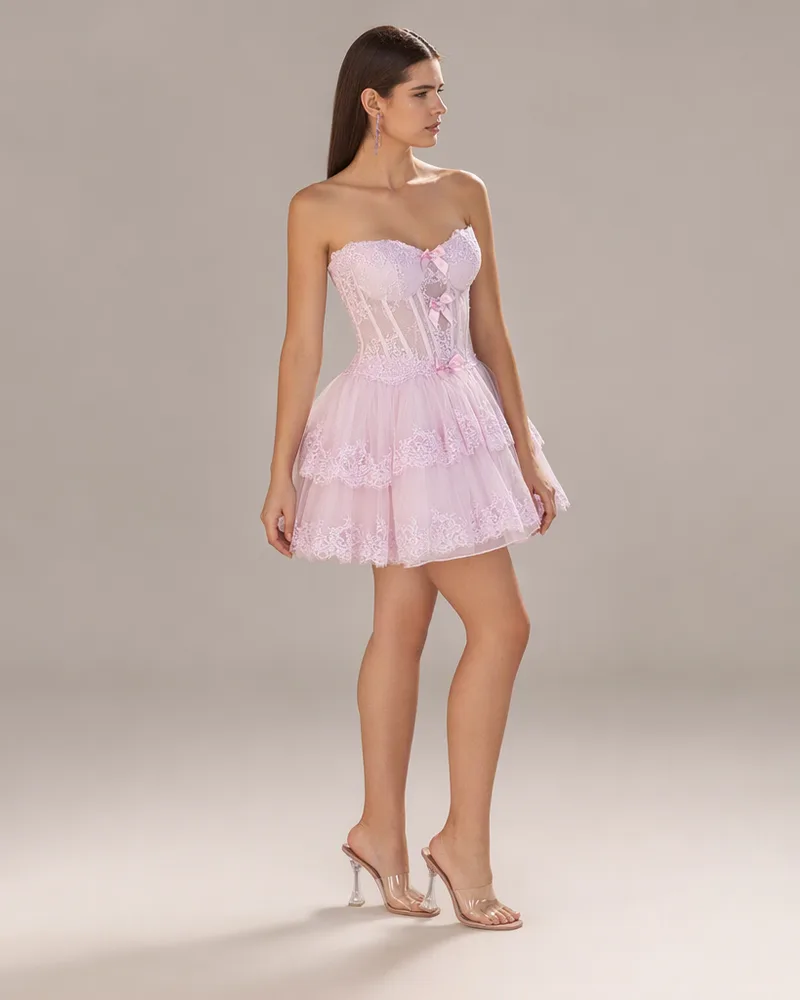
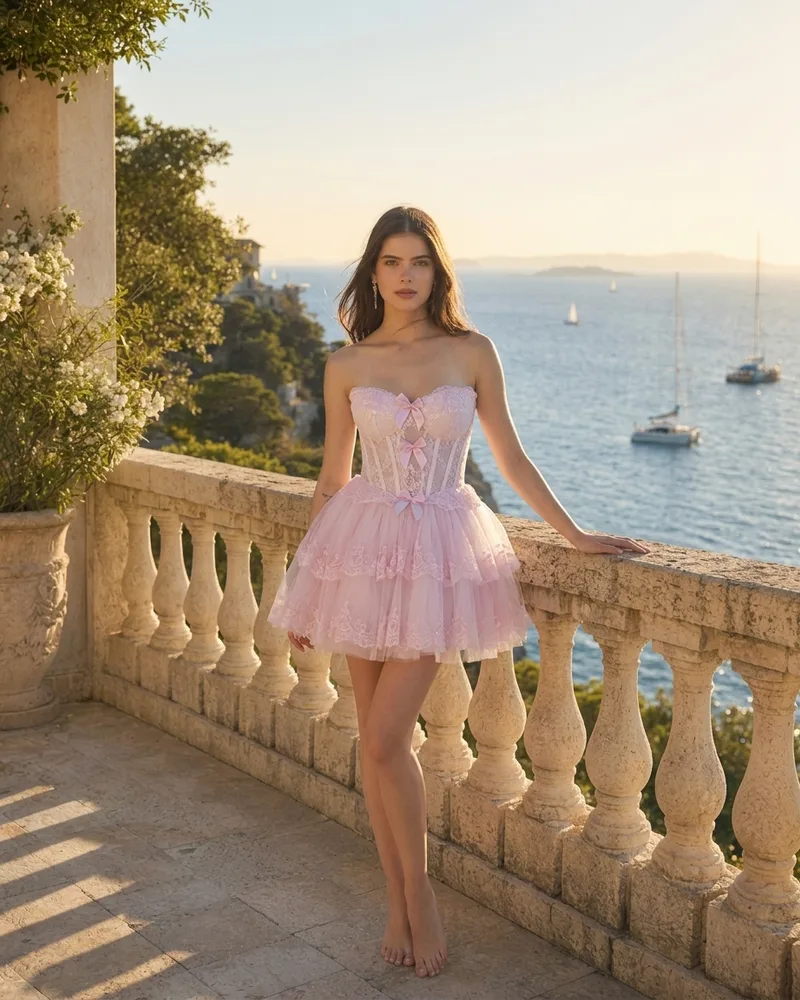
Apparel is the only category where the first image is as often a model (50%) as a studio shot (45%). On-model images appear on 85% of products and close-ups on 80%, usually the fabric, the stitching or a collar. Back views appear on 45%, because shoppers want to see how the garment sits from behind.
What an apparel product page needs:
- The garment worn, front and back, on a model whose height and size you state.
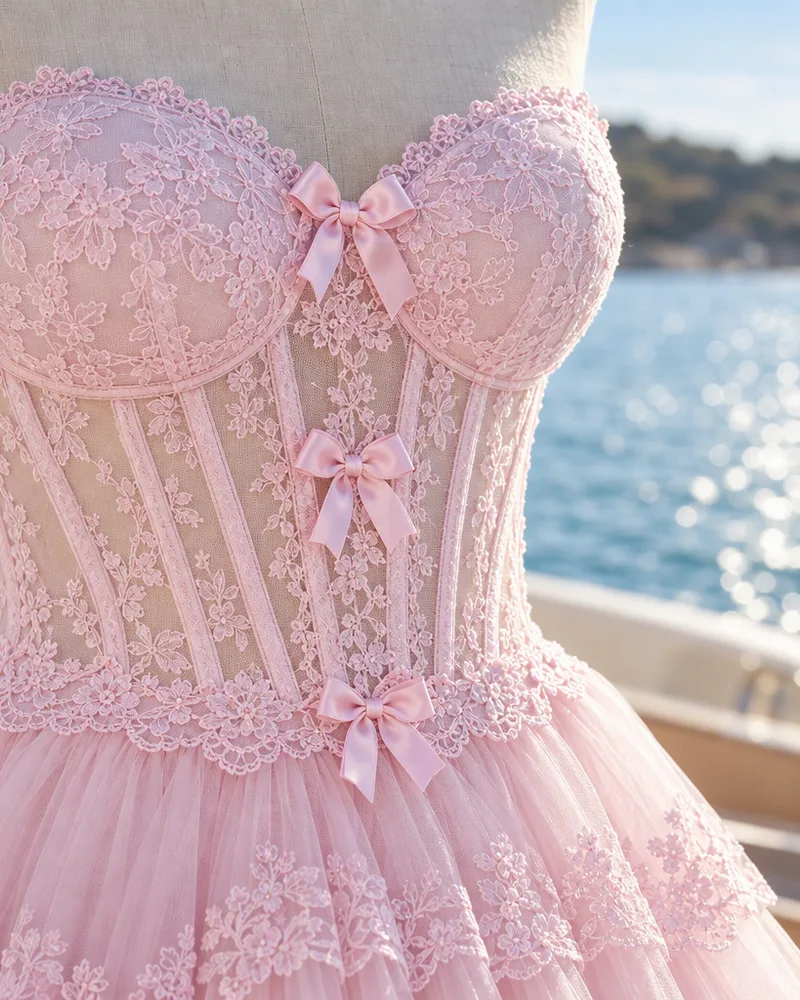
- A close-up of the fabric, so the shopper can judge the weight and the texture.
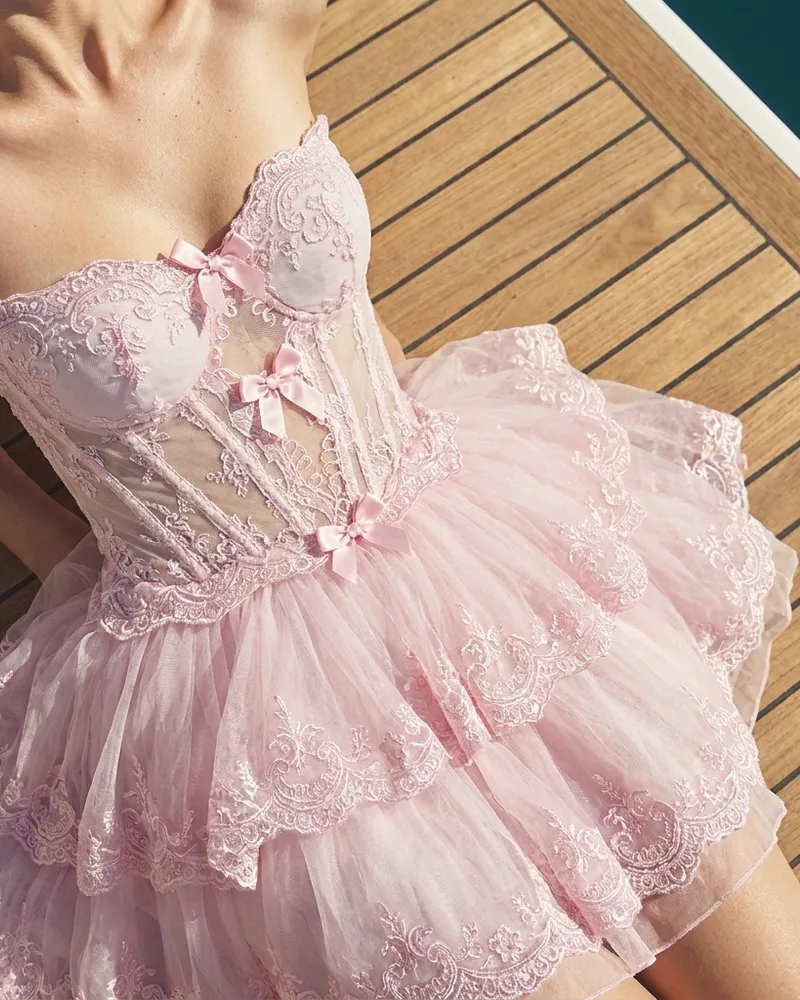
- One image in a real setting, which is where the garment's character shows.
2. Beauty and skincare product page images
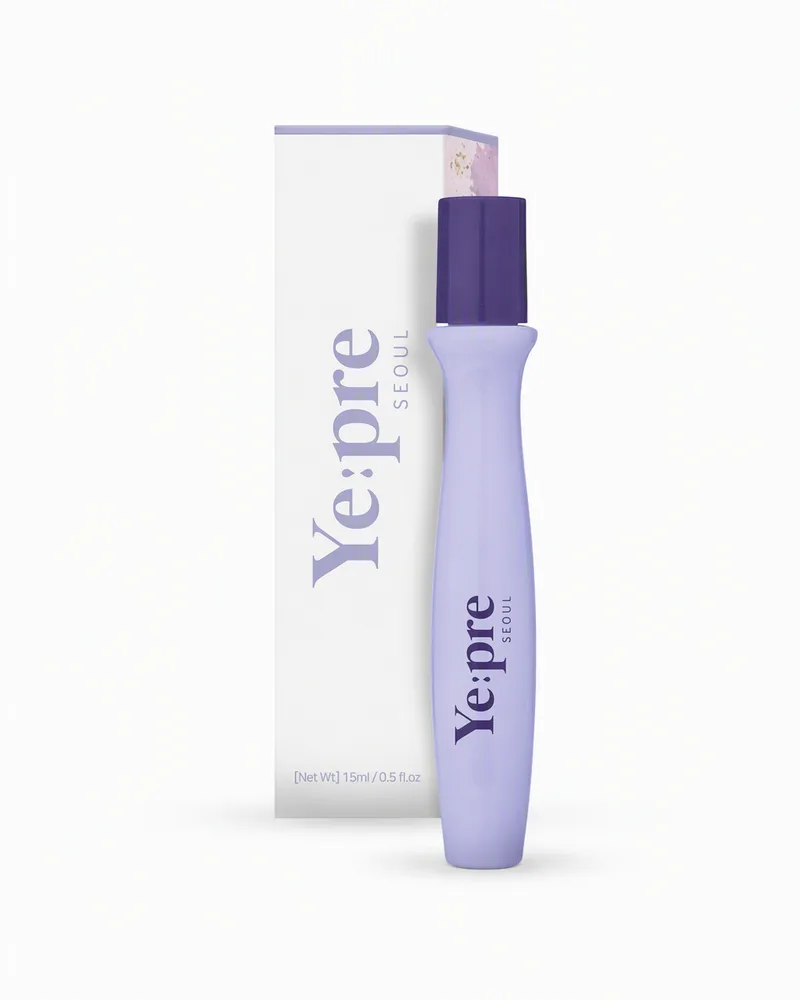
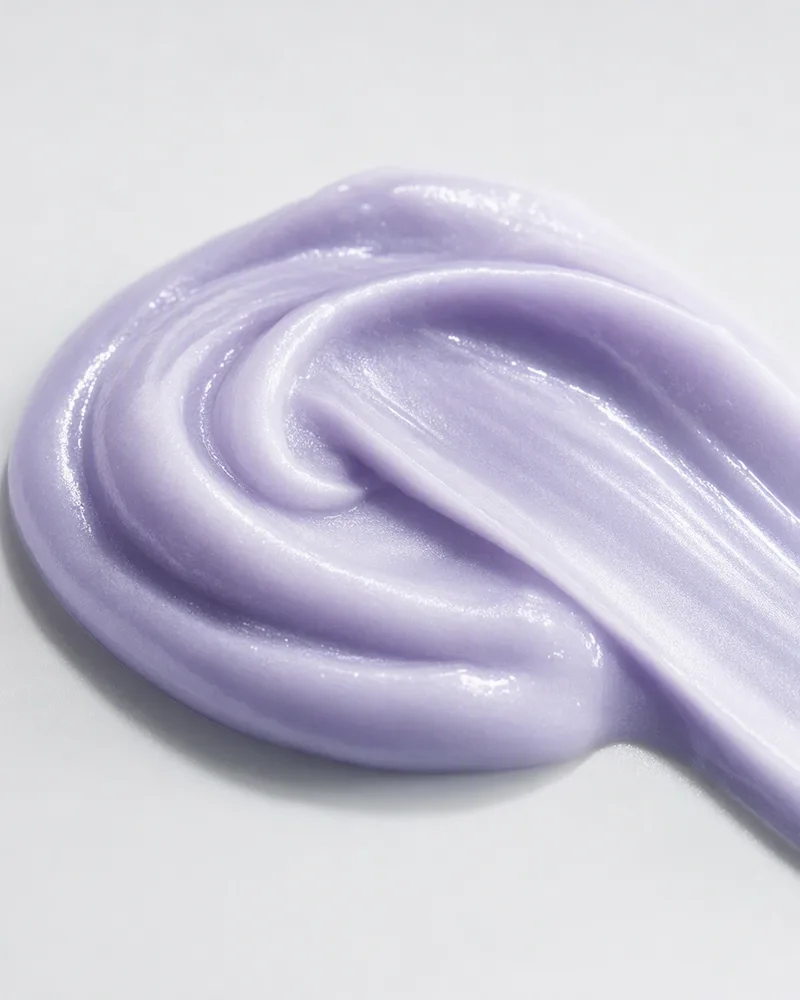
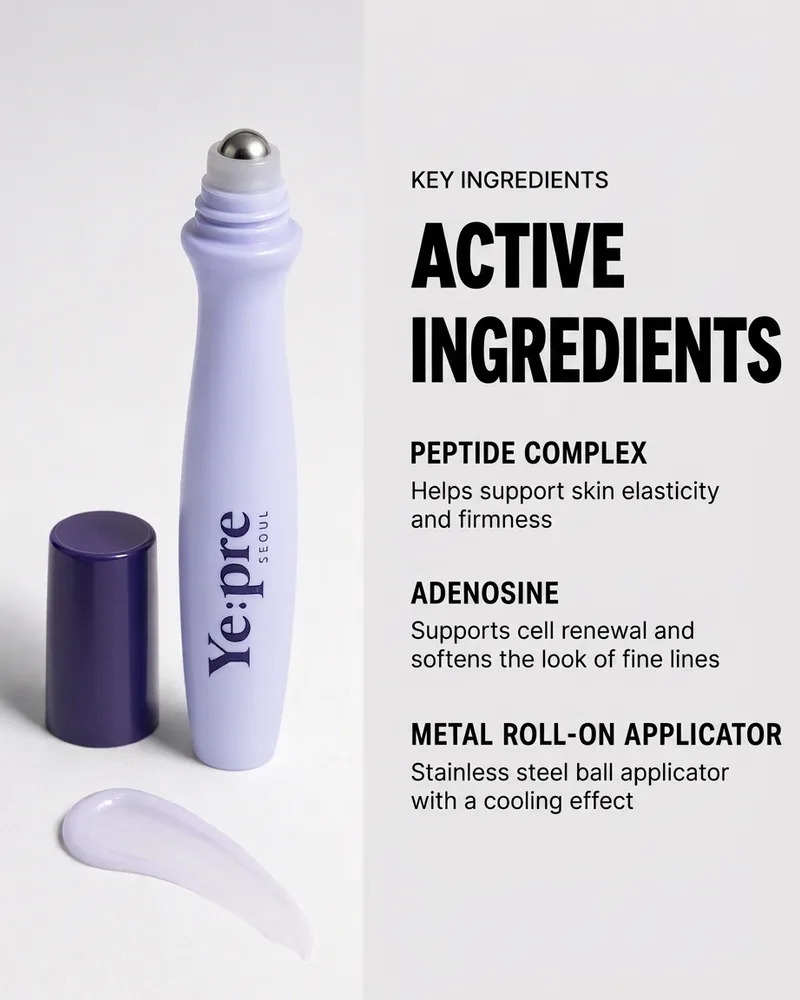
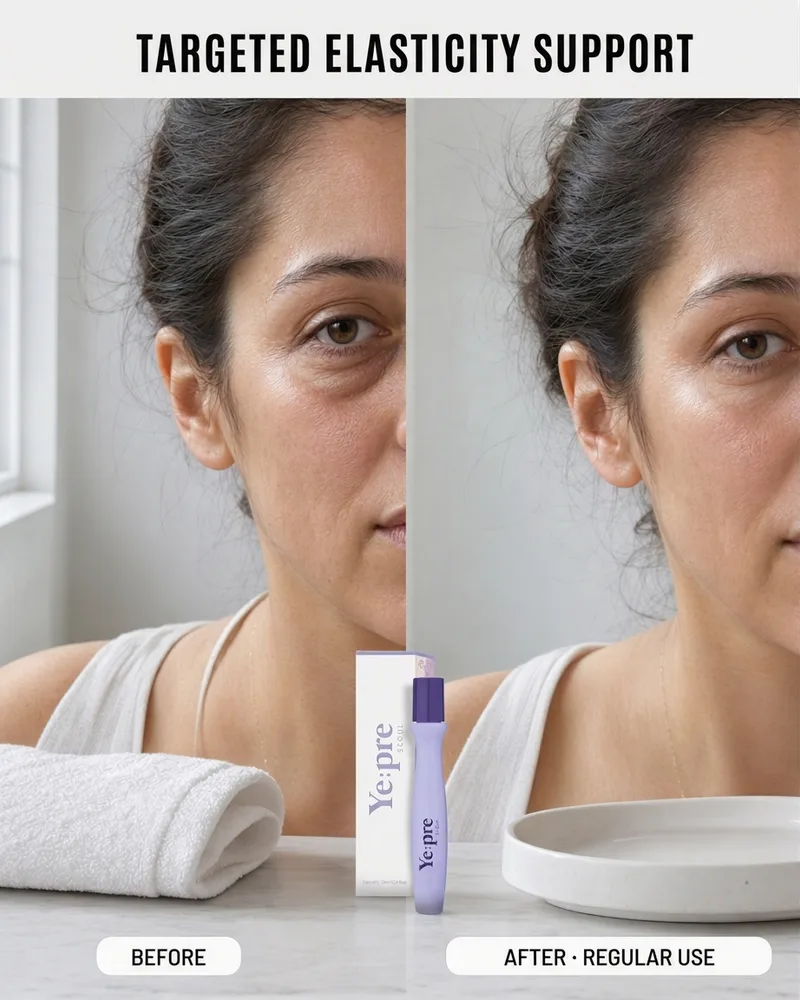
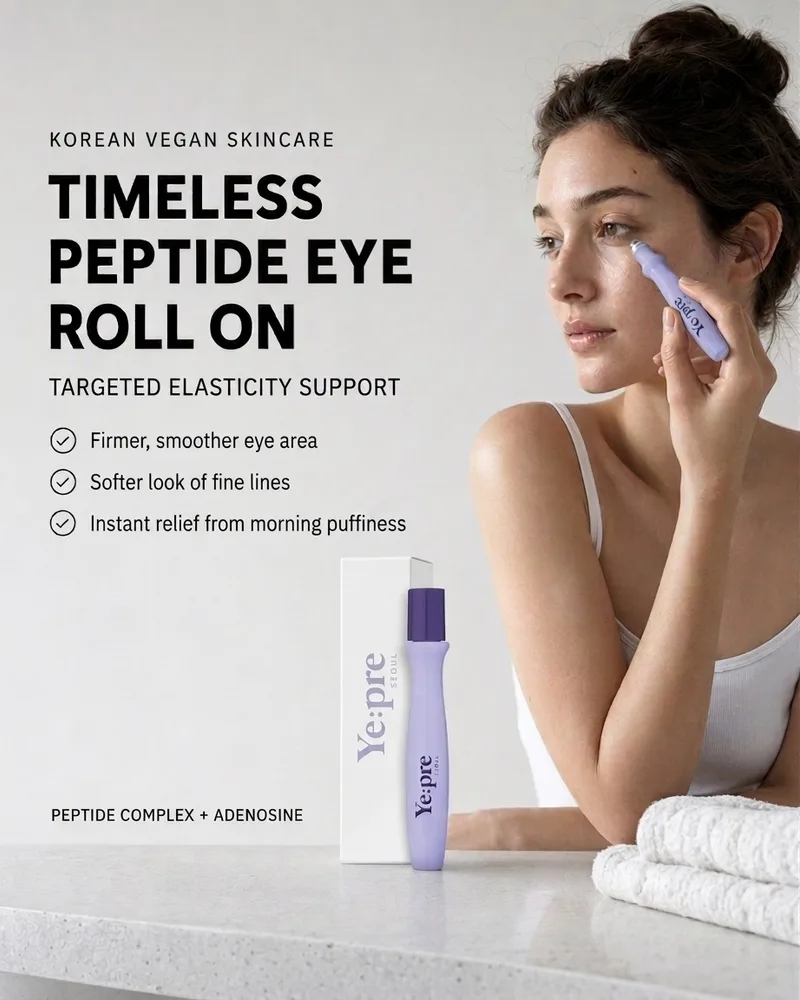
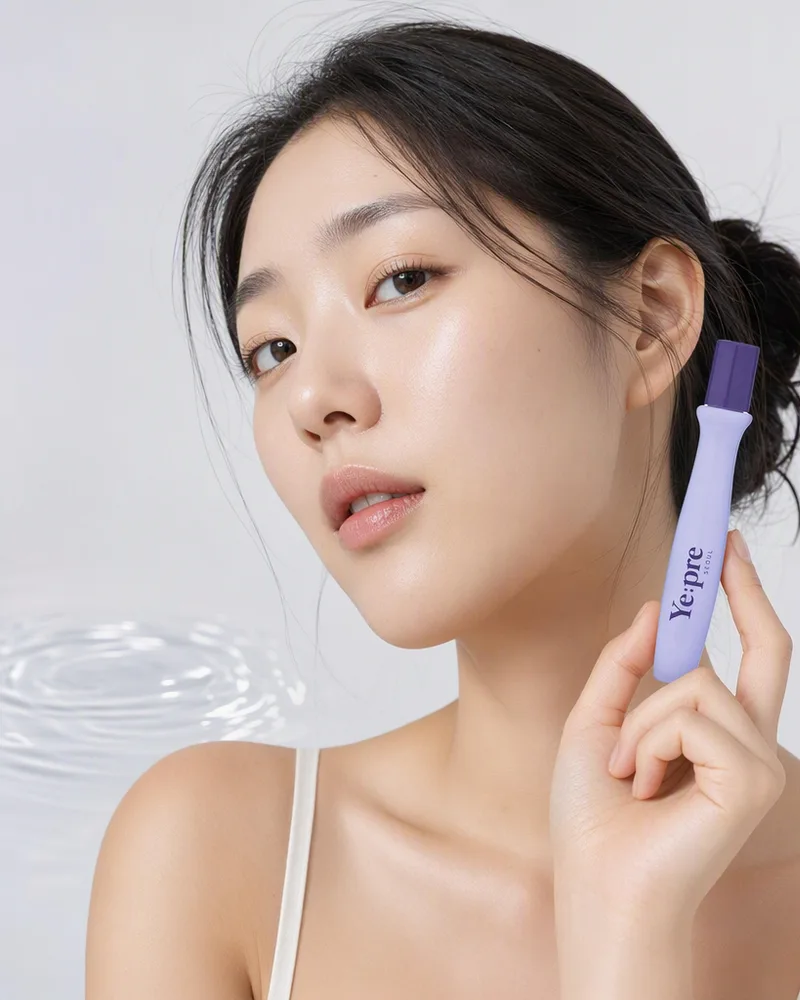
Every beauty product in my sample opened on a clean packshot. After that, beauty uses the widest range of image types of any category. Infographics appear on 58% of products, texture swatches on 53%, the product on a face or a body on 53%, and before and after images on 32%. A skincare shopper cannot touch or smell the product, so the images have to stand in for the testers on a store counter: what it feels like, what is in it, and what it does.
What a beauty product page needs:
- A clean packshot first.
- A texture swatch, because "lightweight gel" means little until you see it.
- An ingredient or benefit infographic, with the claims your product can support.
- The product on skin, and a before and after if you have real results to show.
3. Home product page images
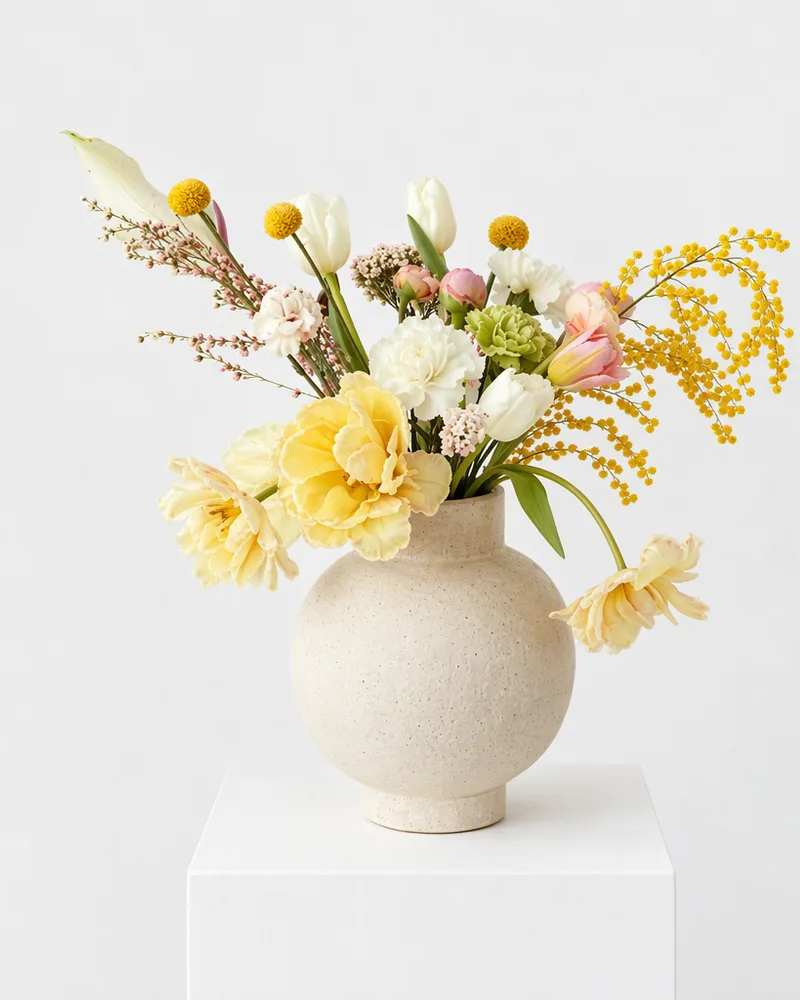
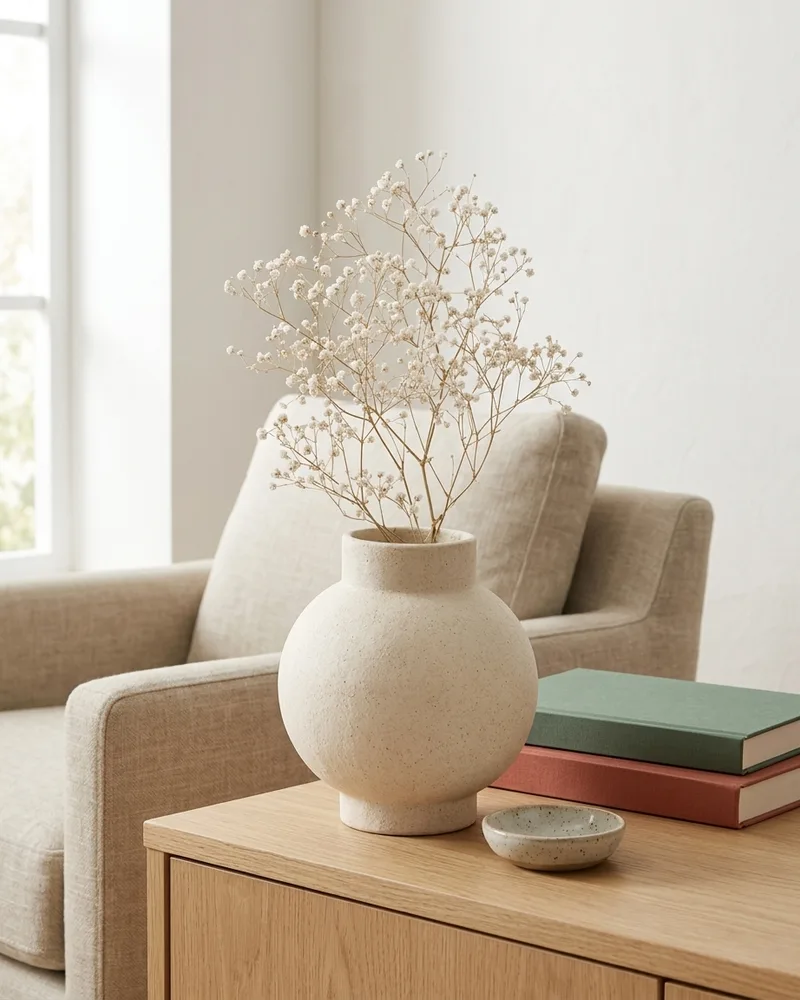
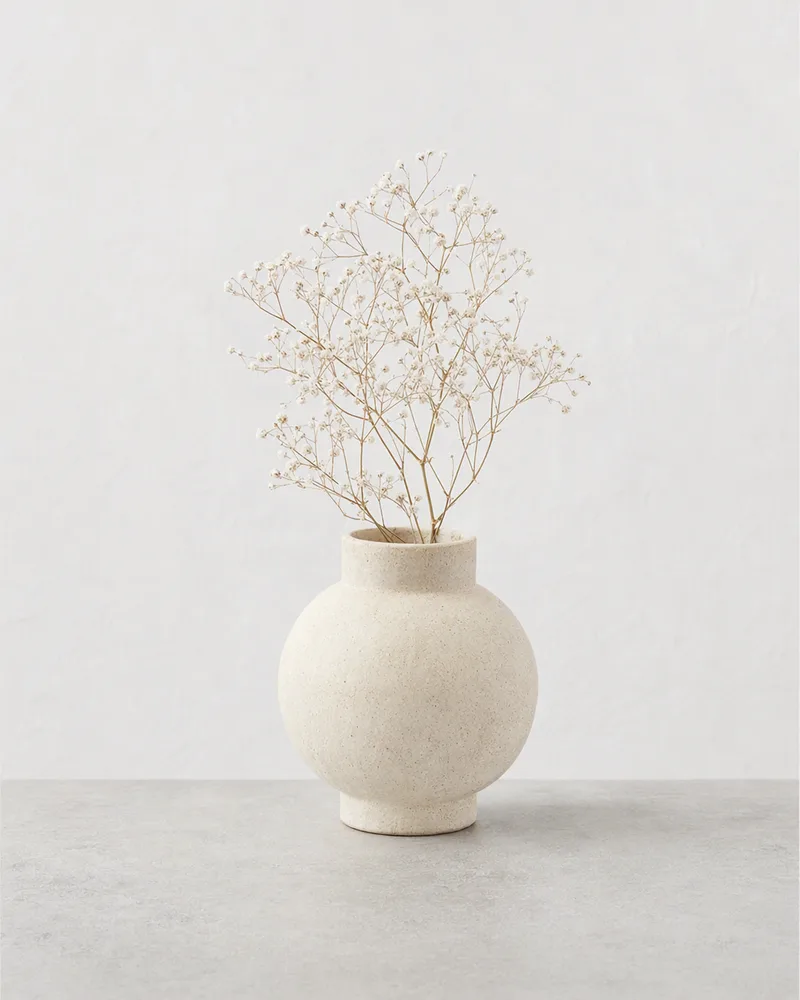
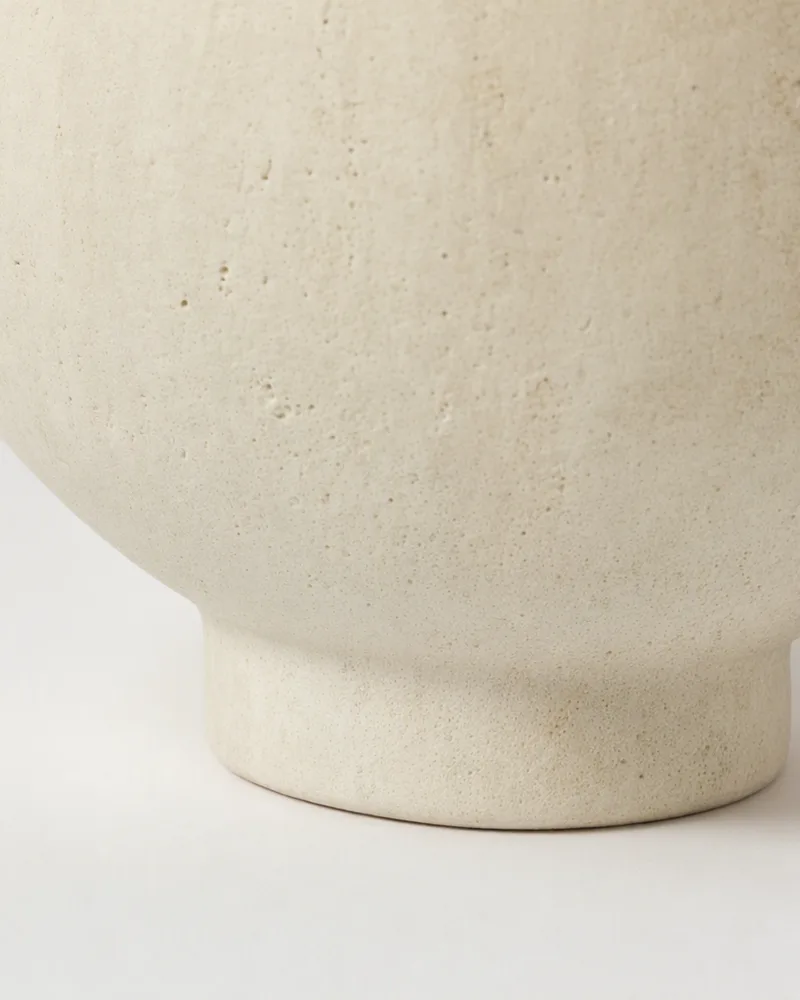
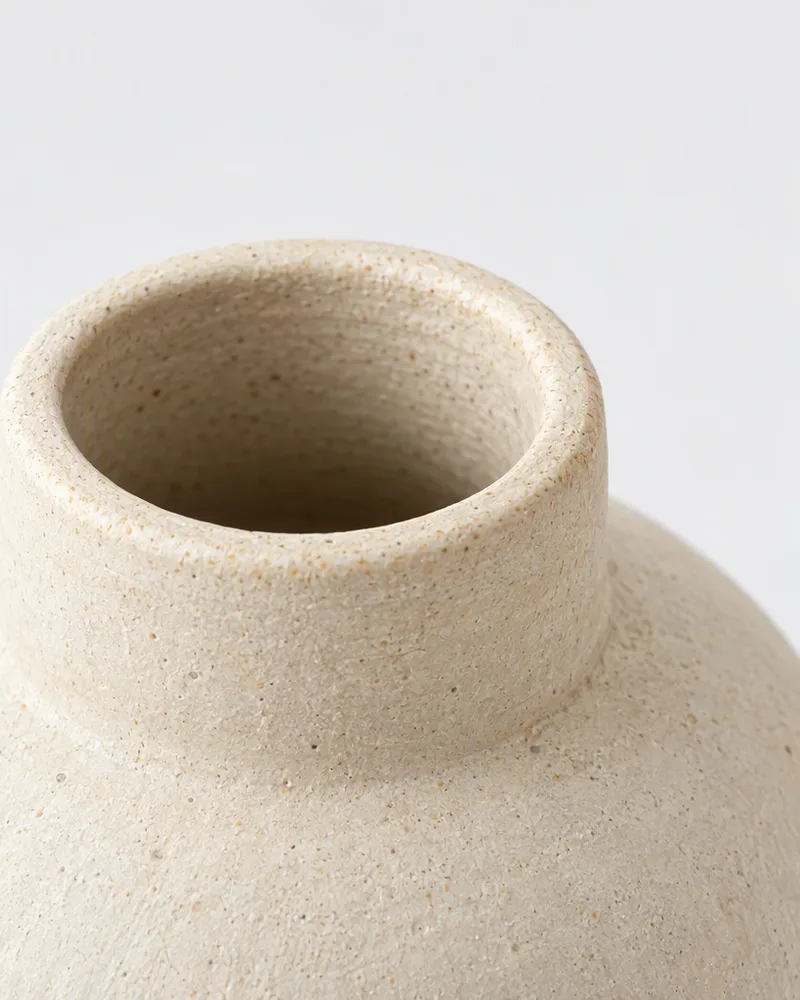
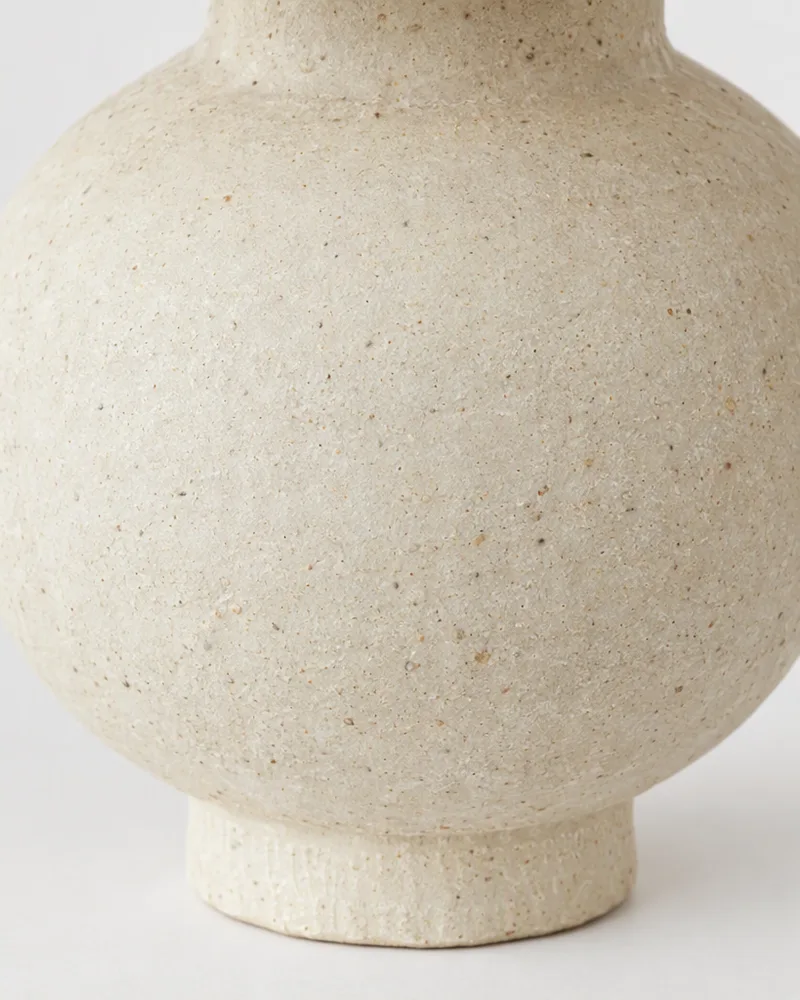
Home products open on a studio shot 85% of the time, but the images that do the selling come next: the product in a room (50%) and the material up close (55%). A home shopper is really asking two questions: will it look right in my space, and is it well made. Other colors appear on 40% of home pages, more than in any other category, because so much of home is sold in several finishes.
What a home product page needs:
- A clean studio shot.
- The product in a real room, with everyday objects around it so the shopper can judge the size.
- A close-up of the material: the glaze, the weave, the wood grain.
- Each color or finish as its own image.
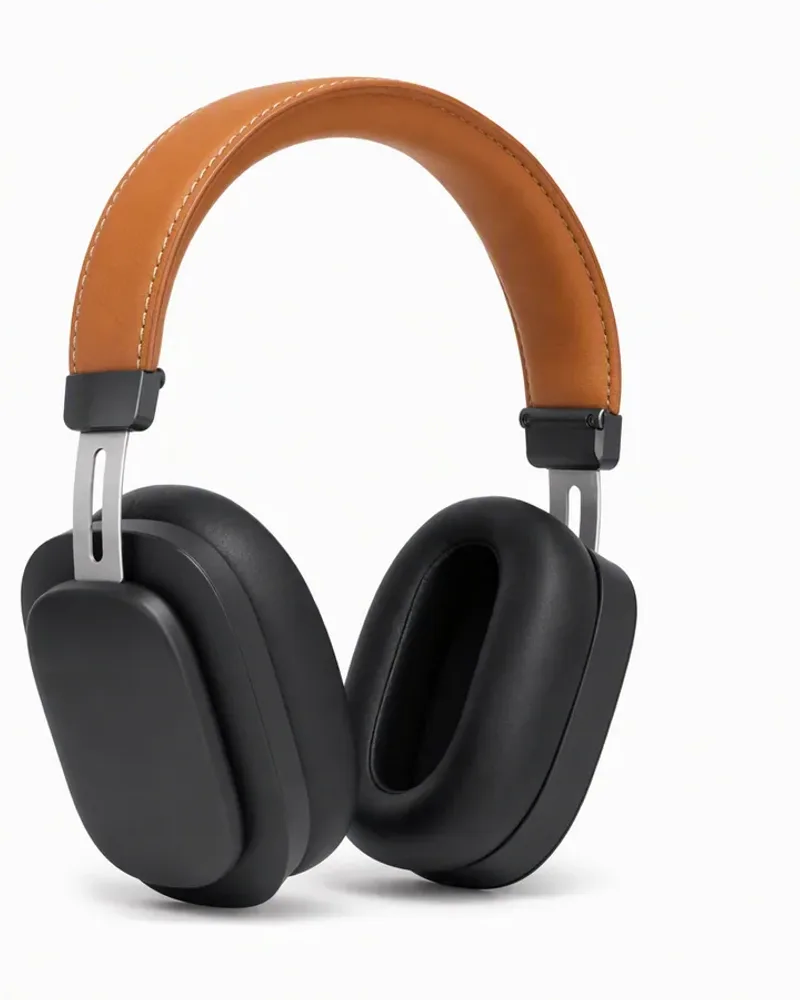
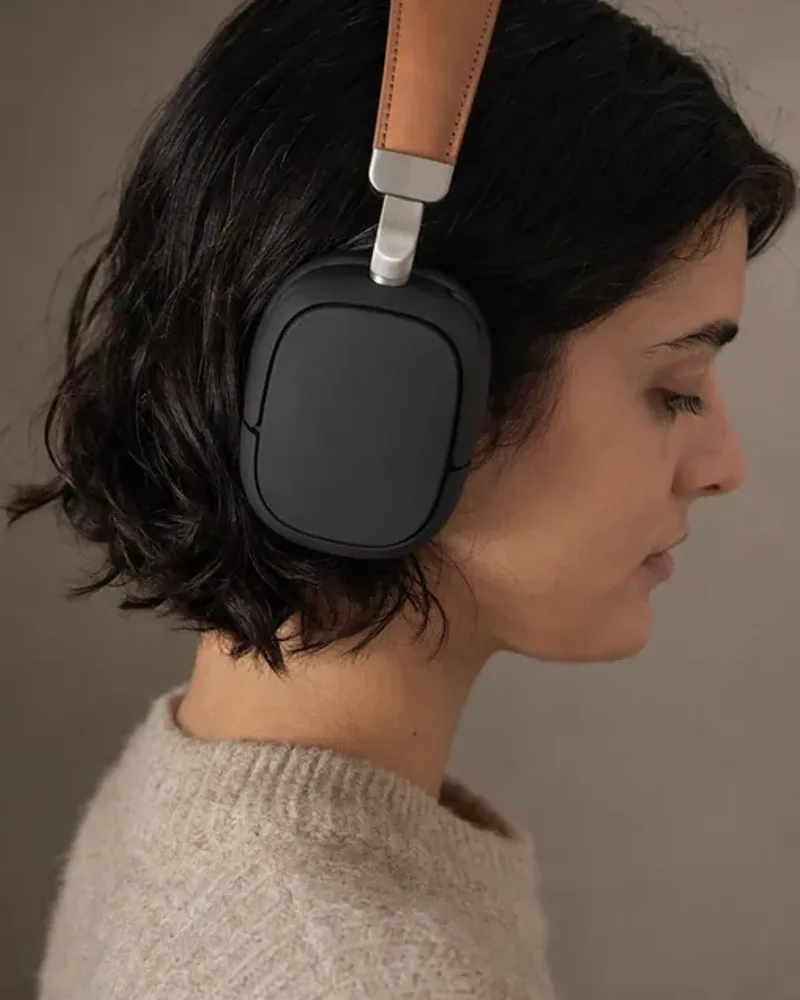
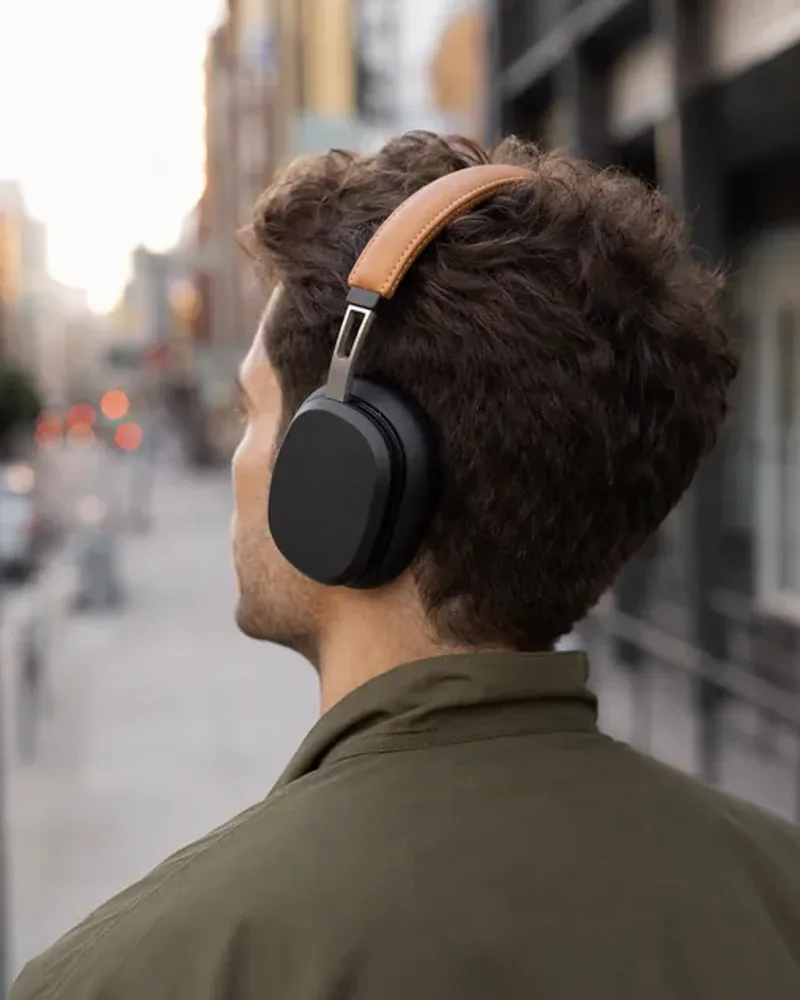
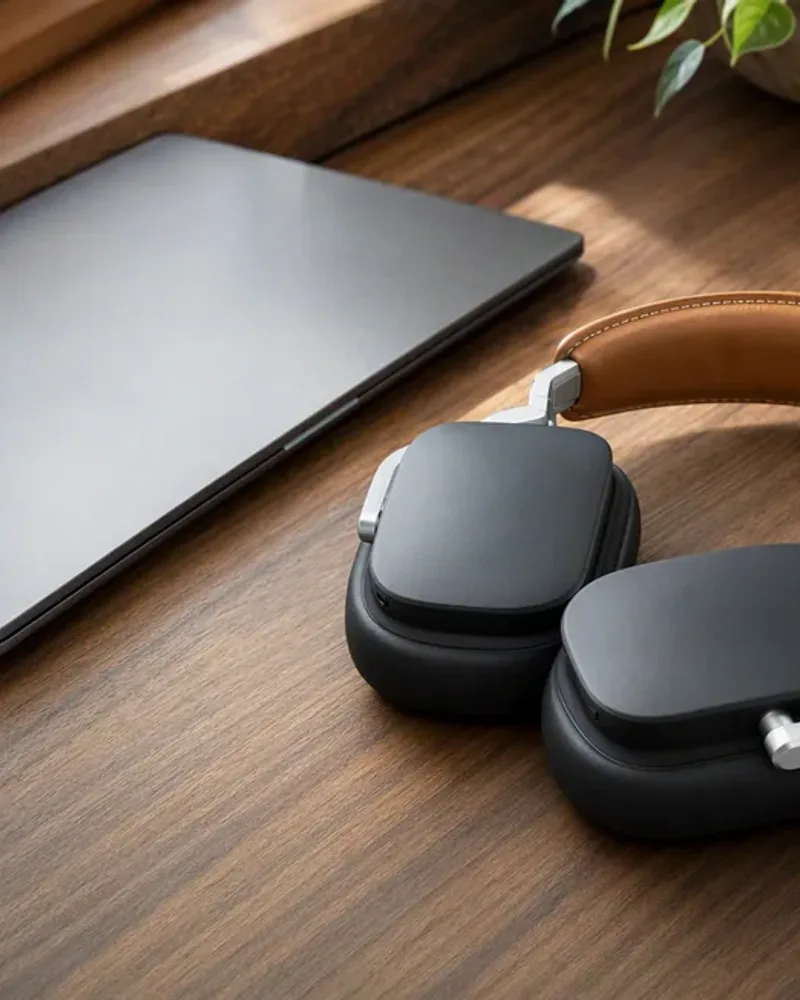
4. Electronics product page images
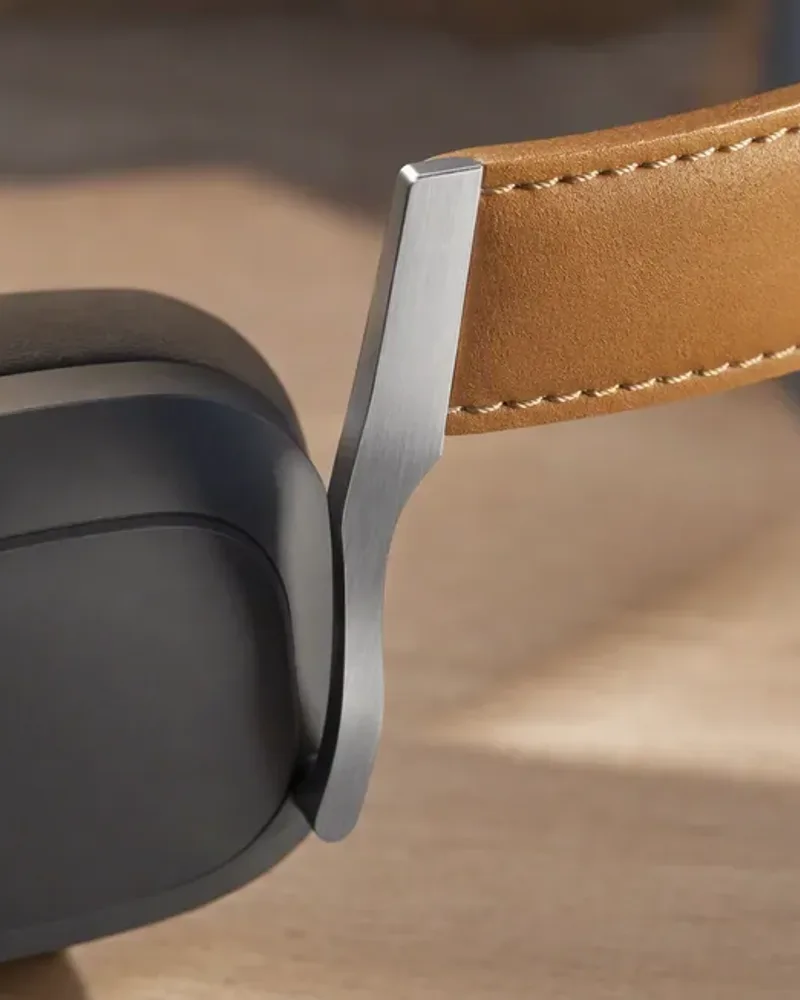
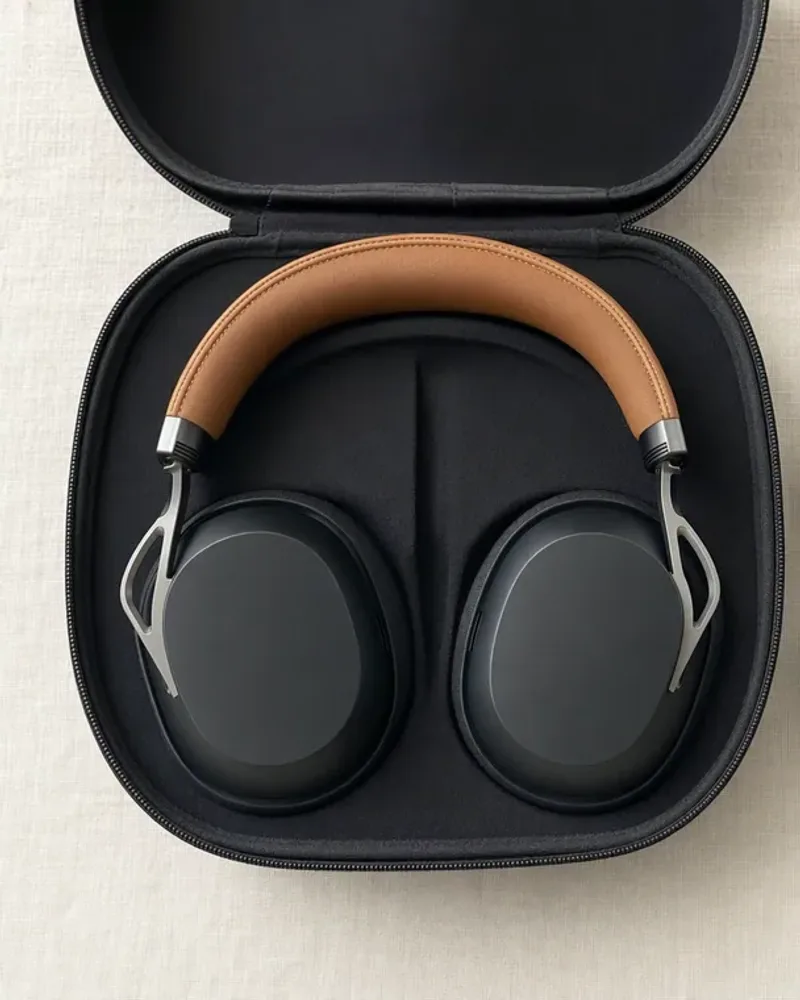
Electronics also open on a studio shot (95%), and nearly half of products then show the device in use or in a setting (47%). The images answer practical questions: how big is it, how does it attach, what comes in the box. In-hand and scale shots appear on 26% of products, spec infographics on 21%, and about a third show what comes in the box, especially chargers, earbuds and recovery devices.
What an electronics product page needs:
- A clean studio shot, then more angles.
- The device in use, or in a hand, for scale.
- Ports, controls and materials up close.
- What comes in the box.
5. Jewelry product page images
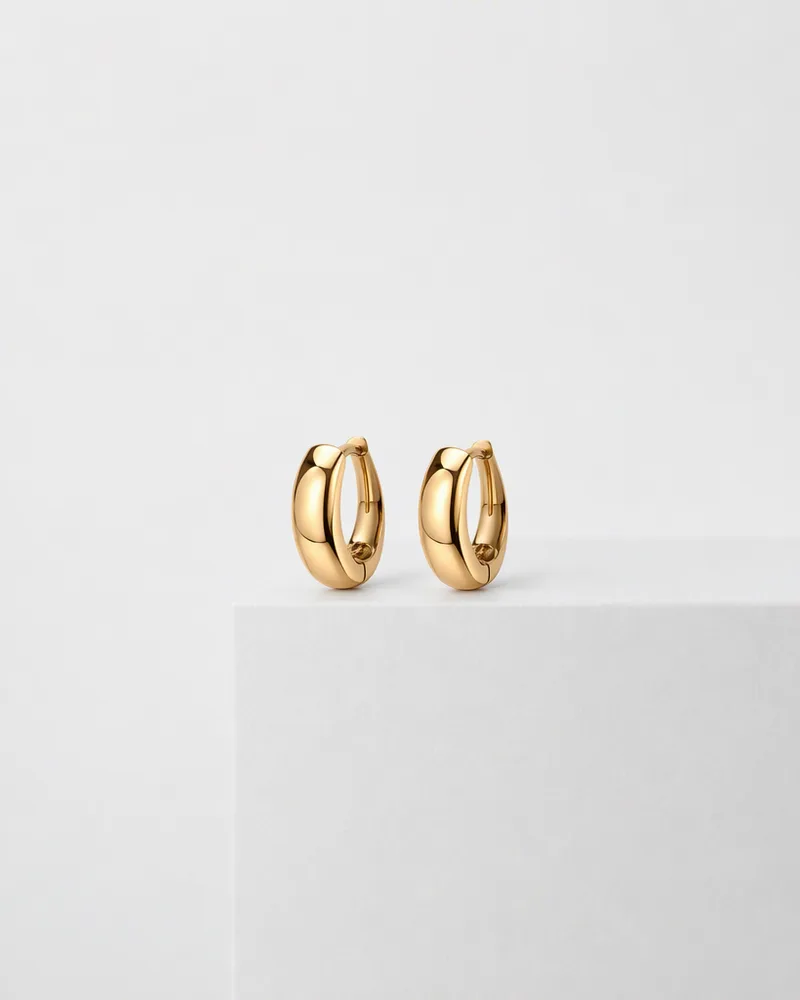
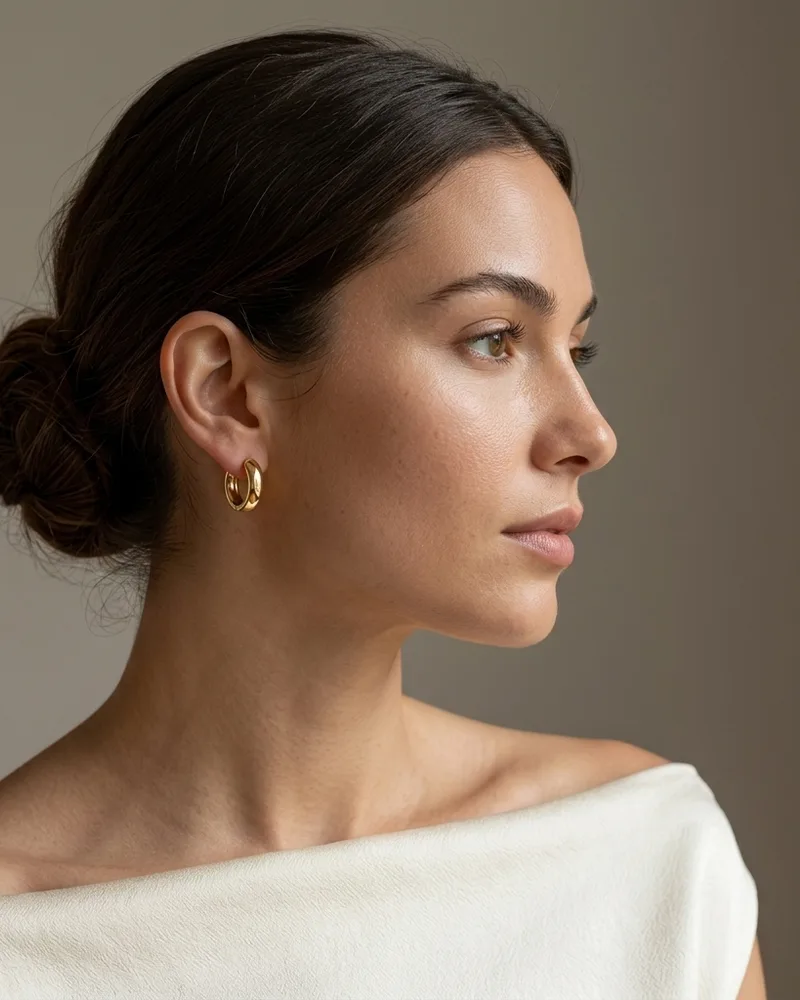
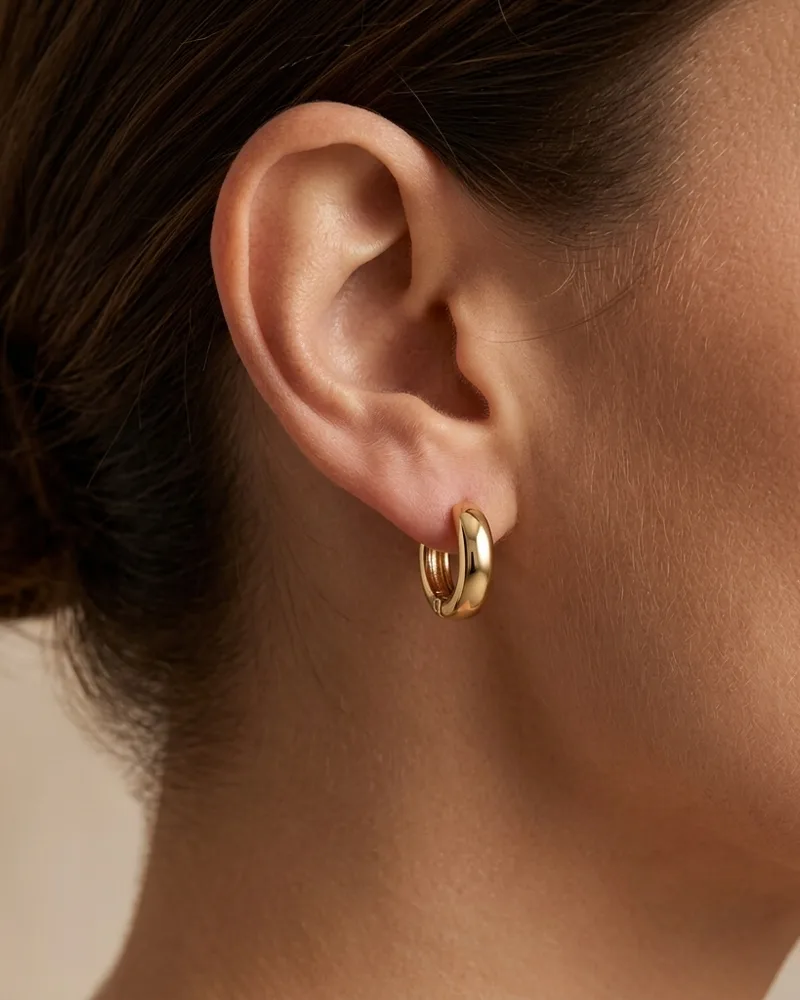
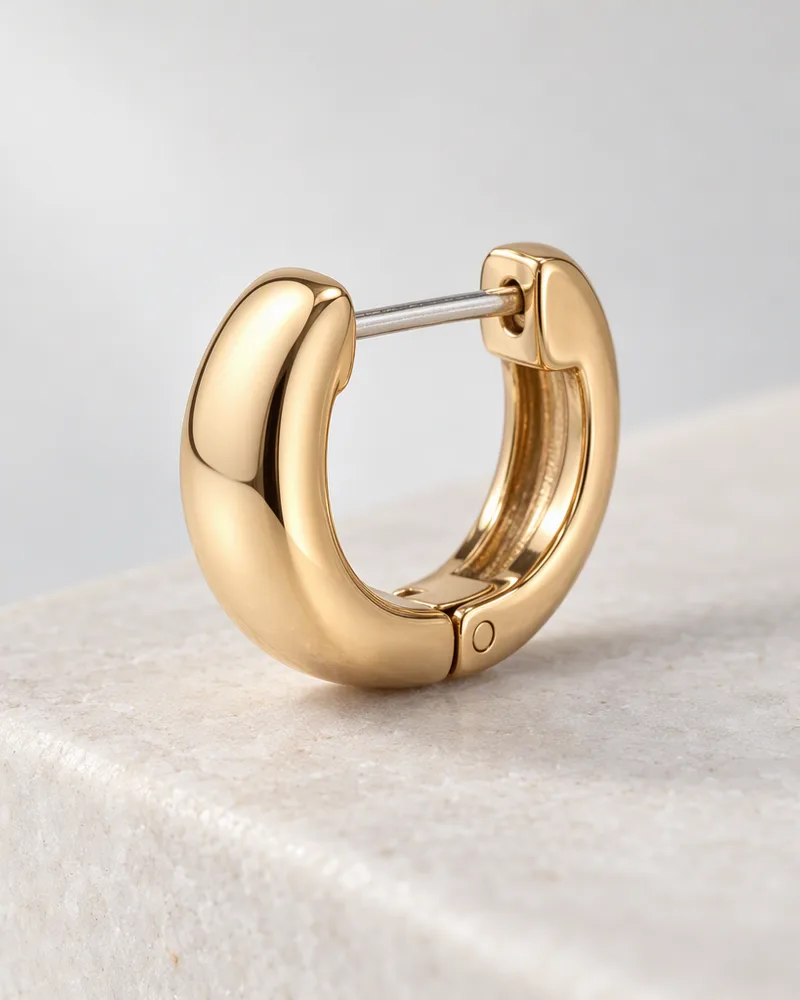
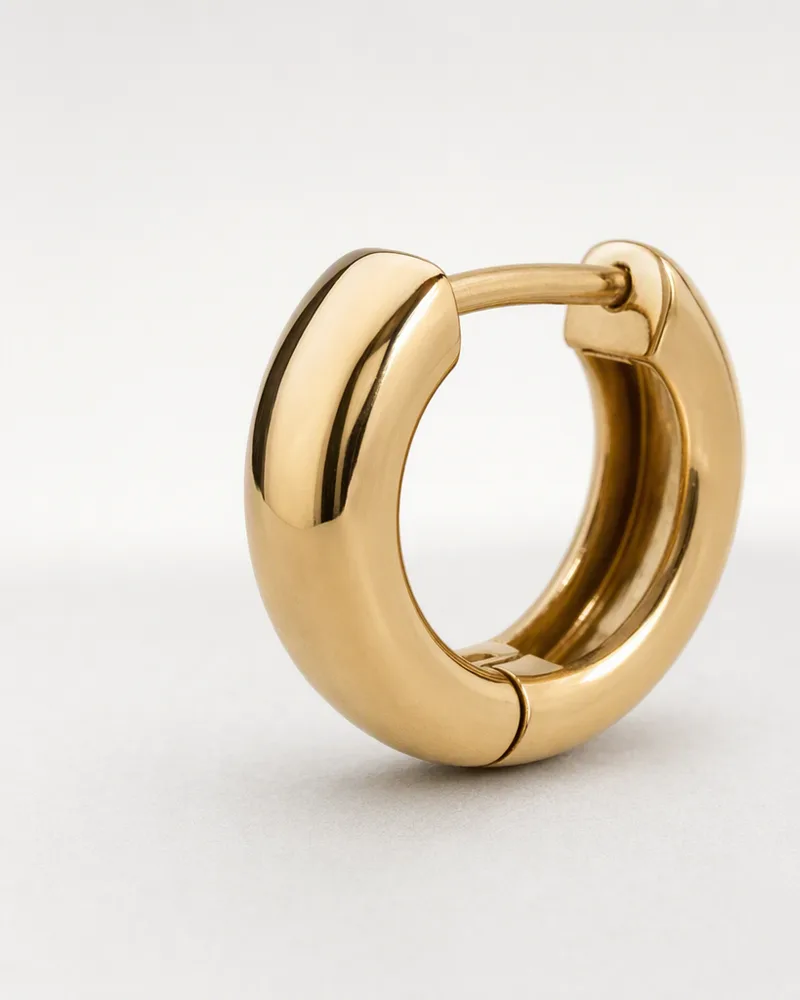
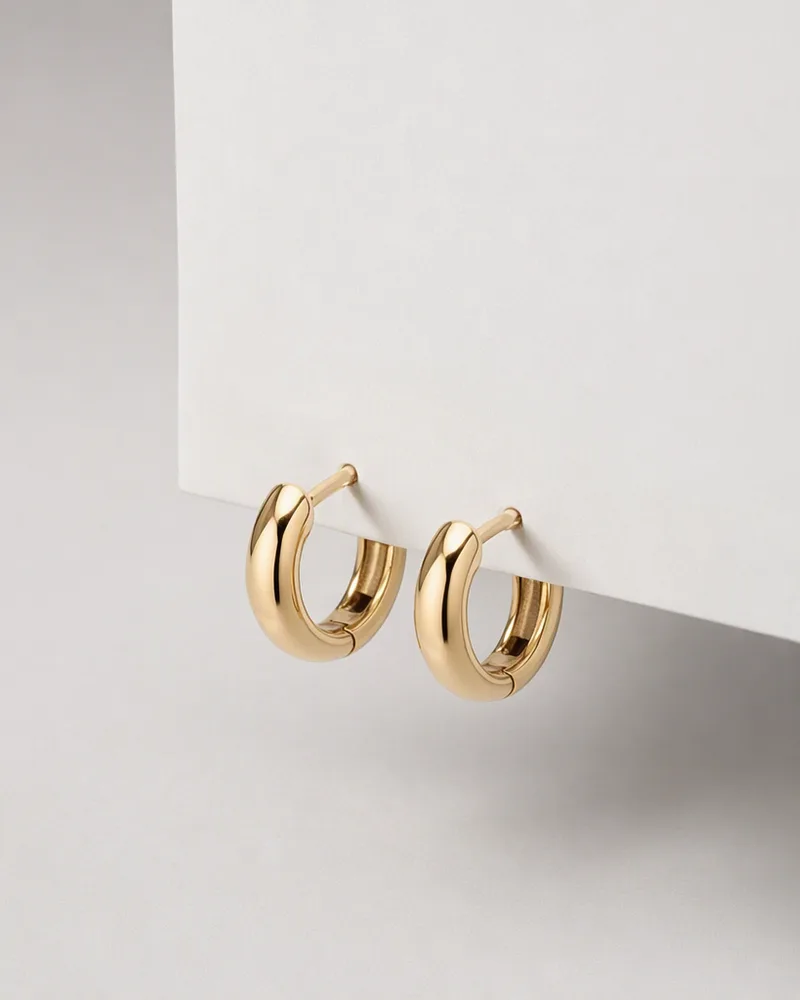
Jewelry is the most consistent category: 95% of products open on the piece alone on a light background, and 89% then show it worn. The on-body image does two jobs at once. It shows the style, and it shows the size, which is the hardest thing to judge for a small piece. A pendant's length or a hoop's diameter means little as a number, but it is obvious on a neck or an ear.
What a jewelry product page needs:
- The piece alone, sharp and well lit.
- The piece worn, close enough to see the detail.
- A close-up of the clasp, the setting or the finish.
- For necklaces and bracelets, the length on a body.
6. Food and drink product page images
Food has the fewest images (a median of 4) and the highest share of products with two or fewer (31%). The products that do it well follow a clear pattern: the pack first, then the food served or styled (94%), then an infographic, often the nutrition panel or the ingredients (53%). Shoppers buy food on appetite and on trust, and the served image is where the appetite comes from.
What a food and drink product page needs:
- The pack, so the shopper recognizes it on the shelf and at the door.
- The product served or being used.
- The nutrition facts and ingredients, as an image as well as in text.
- Where it comes from, if that is part of why people buy it.


Which image should come first?
For most categories, the first image should be the product alone on a clean background. Outside apparel, 82% to 100% of products in my sample opened that way. Apparel is the exception: half of apparel pages open on a model, because a garment on a hanger tells the shopper much less than a garment on a person.
There is also a practical reason to keep the first image clean. It is usually the image your store sends to Google Shopping, to Meta catalog ads and to anyone who shares the link. A busy first image with text and badges looks fine on your page and fails in all of those places.
After the first image, put the image that answers the biggest question next. For apparel, that is fit. For jewelry and home, it is size. For beauty, it is texture. Baymard found that 42% of shoppers tried to judge a product's size from its images, and that 28% of the large sites it benchmarked had no image showing the product in scale at all.
Product page image requirements on Google and Merchant Center
If your products appear in Google Shopping or the free product listings, your main image has to meet Google's image requirements. The ones that catch stores out:
- No promotional overlays on the main image. No prices, no "sale" badges, no shipping offers, no calls to action, no watermarks and no logos that are not physically on the product.
- The product should fill 75% to 90% of the frame. Too much empty space and Google may crop it.
- Size. Google recommends around 1500 × 1500 pixels, and the minimum for all products moves to 500 × 500 from January 31, 2027.
- One image per variant. Each color or finish should have its own image that shows only that variant.
- No placeholders. A "coming soon" image or your logo in place of the product will get the product disapproved.
- AI-generated images must keep their metadata. Google asks that AI-generated product images keep the IPTC DigitalSourceType field that marks them as AI-made.
These rules catch more stores than you might think. In my study of 1,000 Shopify stores, about 1 in 9 main images had a price, badge, text or watermark added, or was not a product photo, and 31% of stores had at least one main image under 500 pixels.
Your other images go in as additional images, and Google has a separate field for lifestyle images. This is the main reason to keep infographics and text-heavy images out of the first position: they belong on your page, not as the image Google shows in a listing. If your products are missing from Google entirely, the image is only one of several causes, and I go through the others in why Shopify products and collection pages are not showing on Google. For products Merchant Center has already disapproved, I went through every disapproval and how to fix it.
On Shopify itself, the platform recommends square images of 2048 × 2048 pixels and allows up to 250 images, videos and 3D models per product. Most stores in my sample served images 1500 to 2000 pixels wide, which is enough for zoom on desktop.
Image alt text on ecommerce product pages
Alt text is the description that screen readers read aloud and that search engines use to understand an image. It is also one of the most neglected fields on a product page. I checked the alt text on 1,611 images from 222 products across 113 of the stores. 42% had no alt text at all. Another 7% only repeated the product title, and 22% held something that helps nobody: a single color word, a file name, or a code the store's theme uses to filter images. Only 28% described what was in the image. In a third of the stores (38 of 113), none of the sampled images had any alt text.
Good alt text describes what is in that particular image, in plain words:
| Image | Weak alt text | Better alt text |
|---|---|---|
| The dress on a model | Pink mini dress | Model wearing a pink strapless mini dress with a tiered tulle skirt |
| The fabric close-up | Pink mini dress | Close-up of the lace bodice and satin bows |
| The vase in a room | Ceramic vase | Cream ceramic vase on an oak sideboard next to two books |
Each image on the page should have its own alt text, because each one shows something different. Writing them by hand for a whole catalog takes time, which is why alt text is one of the jobs most Shopify SEO apps offer to automate.
How to get the missing images without a photo shoot
Most stores can see from the table above which images they are missing. The usual gaps are the in-context image for home and electronics, the on-body image for jewelry, and the texture and proof images for beauty. These are also the most expensive images to shoot, because they need a set, a model or both.
This is where AI product images have changed the cost. Every example in this post was generated in BrandyBee from a single product photo: the on-ear hoop, the vase in the living room, the texture swatch and the infographics. The images then go straight into the product page, each in the section where it answers a question. If you sell on Meta as well, the same images make a good start for ad tests. My teammate compared what long-running Meta ads show in what a Meta ad image should show.
If a product page already has good images and still does not sell, the images may not be the problem. I go through the other places to look in why a store gets traffic but no sales.
Product page image statistics
The main numbers from this study in one place:
- Across 21,968 product pages from 124 established Shopify stores, the median product page had 6 images.
- By category, the median was 7 images in beauty and electronics, 6 in apparel, 5 in home and jewelry, and 4 in food and drink.
- 31% of food and drink products had two images or fewer, the highest share of the six categories, against 10% in apparel.
- Home products under $25 had a median of 2 images, while home products above $50 had 6.
- Outside apparel, 82% to 100% of products opened on the product alone on a clean background. In apparel, 50% opened on a model.
- On-model images appeared on 85% of apparel products, and 89% of jewelry products showed the piece worn.
- In beauty, infographics appeared on 58% of products, texture swatches on 53% and before and after images on 32%.
- Of the 1,611 product images I checked for alt text, 42% had none at all and only 28% had alt text that described the image.
Product page images FAQ
How many images should a product page have?
The median across 21,968 Shopify product pages is 6. Beauty and electronics sit at 7, apparel at 6, home and jewelry at 5, and food and drink at 4. Treat 6 as a floor for most products and add images until each common question a shopper has is answered.
What should the first product image be?
For most categories, the product alone on a clean, light background. It is the image that gets sent to Google Shopping and to social catalogs, so it should not carry text or badges. Apparel can open on a model instead.
Do more product images increase sales?
More images help when each one answers a question the shopper has, such as size, fit, texture or what comes in the box. Ten versions of the same angle do not. The established stores in my sample mostly stayed between 4 and 10 images and spent them on the right mix for their category.
Should product images be square?
Shopify recommends square images of 2048 × 2048 pixels. Many apparel and beauty stores use a taller 4:5 ratio, which fills more of a phone screen. Whichever you choose, use the same ratio for every image in a gallery so it does not jump in size.
Can I put text on product images?
On your product page, yes: infographics are common in beauty, food and electronics. On the main image you send to Google, no. Merchant Center rejects prices, badges, calls to action and watermarks on the main product image.
Do product images need alt text?
Yes. Alt text makes the image accessible to screen readers and helps search engines understand it. Describe what each image shows, not just the product name. In my sample, 42% of product images had no alt text at all, and only 28% described the image.